214683 282 Revision A
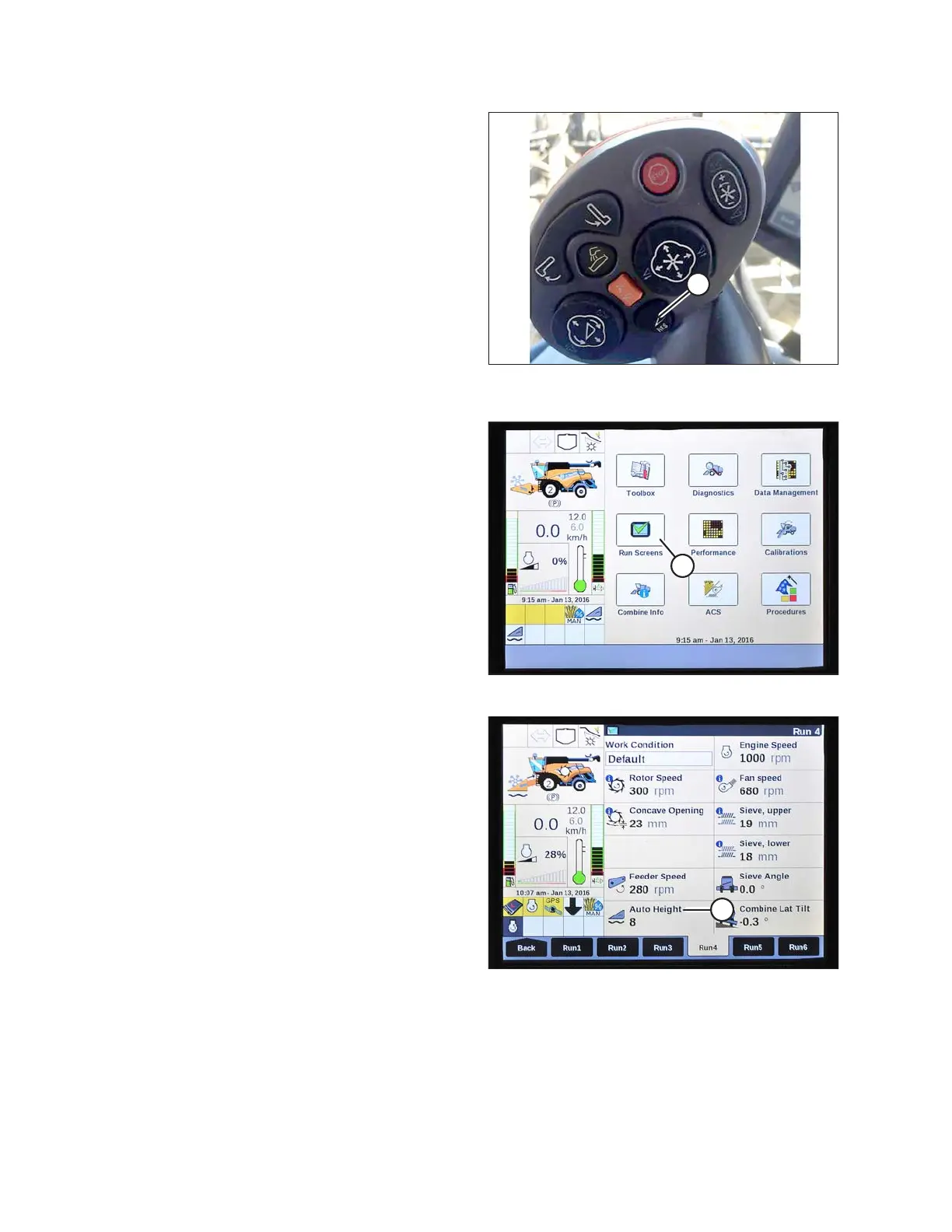
Figure 3.501: New Holland Combine
Multifunction Handle
4. Hold RESUME button (C) on multifunction handle to set
the preset.
NOTE:
When setting presets, always set header position
before setting reel position. If header and reel are set at
the same time, the reel setting will not save.
5. Raise or lower the reel to desired position.
6. Hold RESUME button (C) on multifunction handle to set
the preset.
7. Repeat Step 2, page 281 to Step 6, page 282, using
preset button 2.
Figure 3.502: New Holland Combine Display
8. Lower header to the ground.
9. Select RUN SCREENS (A) on the main screen.
Figure 3.503: New Holland Combine Display
10. Select the RUN tab that shows MANUAL HEIGHT.
NOTE:
The MANUAL HEIGHT field may appear on any of the
RUN tabs. When an auto height preset button is
pressed, the display will change to AUTO HEIGHT (A).
11. Press one of the auto height preset buttons to select a
preset cutting height.
OPERATION









 To Next Page