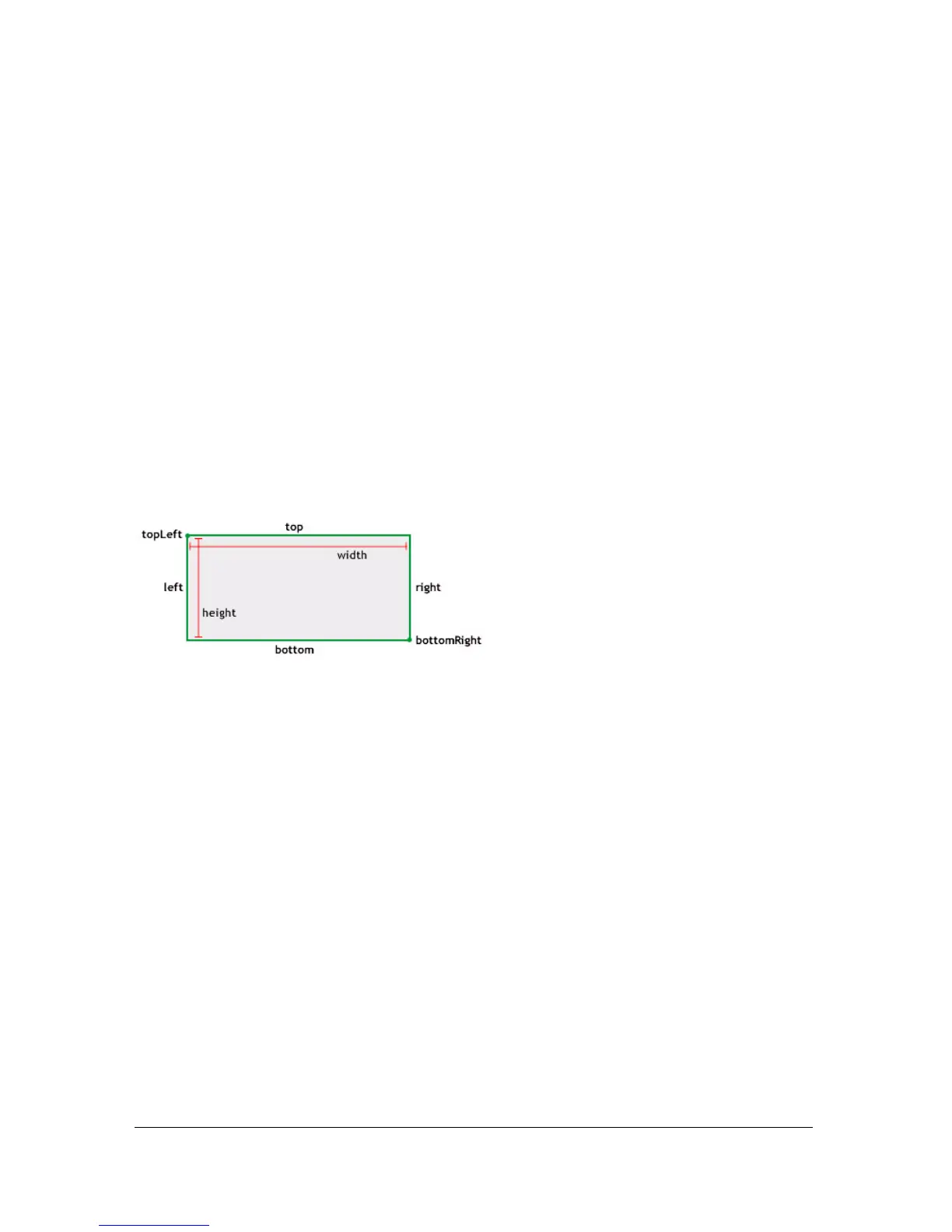
Rectangle (flash.geom.Rectangle) 1053
For example, consider a rectangle with properties x=20, y=50, width=60, and height=30 (20,
50, 60, 30), and a second rectangle with properties (150, 130, 50, 30). The union of these
two rectangles is a larger rectangle that encompasses the two rectangles with the properties
(20, 50, 180, 110).
import flash.geom.Rectangle;
var rect_1:Rectangle = new Rectangle(20, 50, 60, 30);
var rect_2:Rectangle = new Rectangle(150, 130, 50, 30);
var combined:Rectangle = rect_1.union(rect_2);
trace(combined.toString()); // (x=20, y=50, w=180, h=110)
width (Rectangle.width property)
public width : Number
The width of the rectangle in pixels. Changing the value of the width property of a Rectangle
object has no effect on the
x, y, and height properties.
Availability: ActionScript 1.0; Flash Player 8
Example
The following example creates a Rectangle object and change its
width property from 10 to
20. Notice that
rect.right also changes.
import flash.geom.Rectangle;
var rect:Rectangle = new Rectangle(5, 5, 10, 10);
trace(rect.width); // 10
trace(rect.right); // 15
rect.width = 20;
trace(rect.width); // 20
trace(rect.right); // 25
See also
x (Rectangle.x property), y (Rectangle.y property), height (Rectangle.height
property)



 To Next Page