GradientGlowFilter (flash.filters.GradientGlowFilter) 649
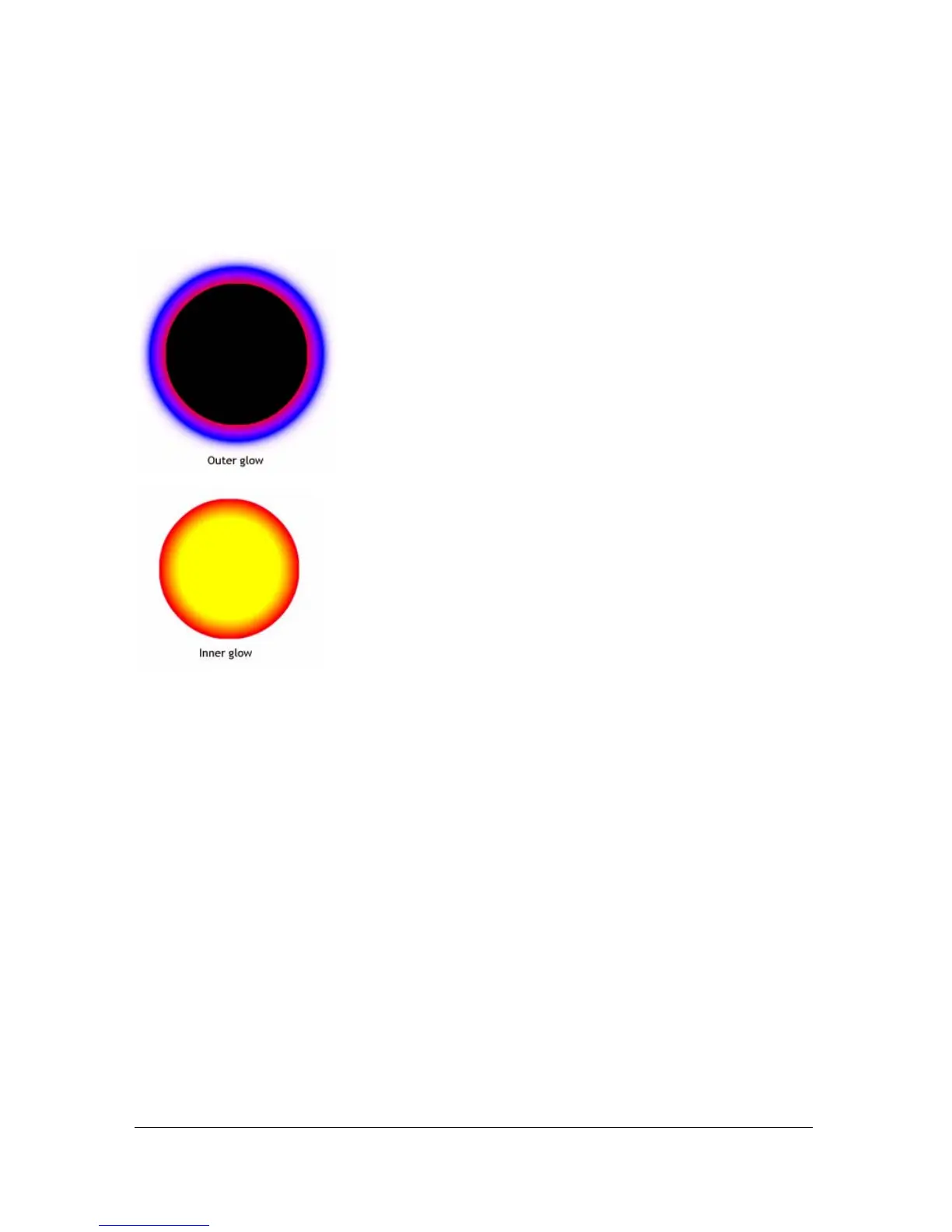
If you make two small changes in the code, the effect of the glow can be very different, even
with the same
ratios and colors arrays. Set the alpha value of the first color in the array to
0, to make the filter blend in with the document's white background; and set the
type
property to
"outer" or "inner". Observe the results, as shown in the following images.
Keep in mind that the spread of the colors in the gradient varies based on the values of the
blurX, blurY, strength, and quality properties, as well as the ratios values.
Availability: ActionScript 1.0; Flash Player 8
Example
The following example changes the
ratios property on an existing movie clip when a user
clicks it.
import flash.filters.GradientGlowFilter;
var mc:MovieClip = createGradientGlowRectangle("GlowRatios");
mc.onRelease = function() {
var filter:GradientGlowFilter = this.filters[0];
var ratios:Array = filter.ratios;
ratios.shift();
ratios.unshift(40);
filter.ratios = ratios;
this.filters = new Array(filter);
}



 To Next Page