MovieClip 853
anchorY:Number - An integer that specifies the vertical position of the next anchor point
relative to the registration point of the parent movie clip.
Example
The following example draws a nearly circular curve with a solid blue hairline stroke and a
solid red fill:
this.createEmptyMovieClip("circle_mc", 1);
with (circle_mc) {
lineStyle(0, 0x0000FF, 100);
beginFill(0xFF0000);
moveTo(0, 100);
curveTo(0,200,100,200);
curveTo(200,200,200,100);
curveTo(200,0,100,0);
curveTo(0,0,0,100);
endFill();
}
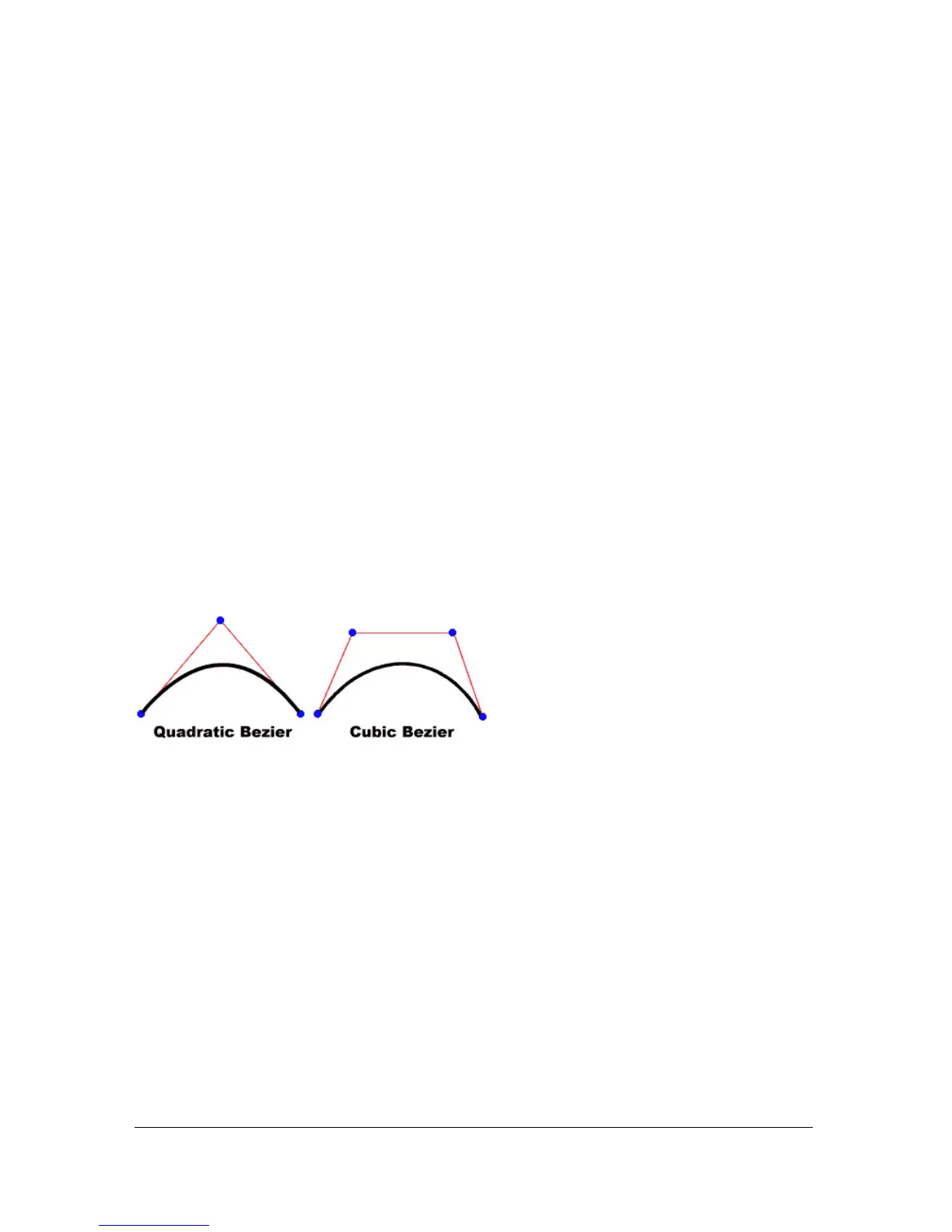
The curve drawn in this example is a quadratic Bezier curve. Quadratic Bezier curves consist
of two anchor points and a control point. The curve interpolates the two anchor points, and
curves toward the control point.
The following script uses the
curveTo() method and the Math class to create a circle:
this.createEmptyMovieClip("circle2_mc", 2);
circle2_mc.lineStyle(0, 0x000000);
drawCircle(circle2_mc, 100, 100, 100);
function drawCircle(mc:MovieClip, x:Number, y:Number, r:Number):Void {
mc.moveTo(x+r, y);
mc.curveTo(r+x, Math.tan(Math.PI/8)*r+y, Math.sin(Math.PI/4)*r+x,
Math.sin(Math.PI/4)*r+y);
mc.curveTo(Math.tan(Math.PI/8)*r+x, r+y, x, r+y);
mc.curveTo(-Math.tan(Math.PI/8)*r+x, r+y, -Math.sin(Math.PI/4)*r+x,
Math.sin(Math.PI/4)*r+y);
mc.curveTo(-r+x, Math.tan(Math.PI/8)*r+y, -r+x, y);
mc.curveTo(-r+x, -Math.tan(Math.PI/8)*r+y, -Math.sin(Math.PI/4)*r+x,
-Math.sin(Math.PI/4)*r+y);
mc.curveTo(-Math.tan(Math.PI/8)*r+x, -r+y, x, -r+y);
mc.curveTo(Math.tan(Math.PI/8)*r+x, -r+y, Math.sin(Math.PI/4)*r+x,
-Math.sin(Math.PI/4)*r+y);



 To Next Page