MovieClip 887
Notice that for jointStyle set to "miter", you can limit the length of the miter point by
using the
miterLimit parameter.
miterLimit:Number - Added in Flash Player 8. A number that indicates the limit at which a
miter is cut off. Valid values range from 1 to 255 (and values outside of that range are rounded
to 1 or 255). This value is only used if the
jointStyle is set to "miter". If a value is not
indicated, Flash uses 3. The
miterLimit value represents the length that a miter can extend
beyond the point at which the lines meet to form a joint. The value expresses a factor of the
line
thickness. For example, with a miterLimit factor of 2.5 and a thickness of 10 pixels,
the miter is cut off at 25 pixels.
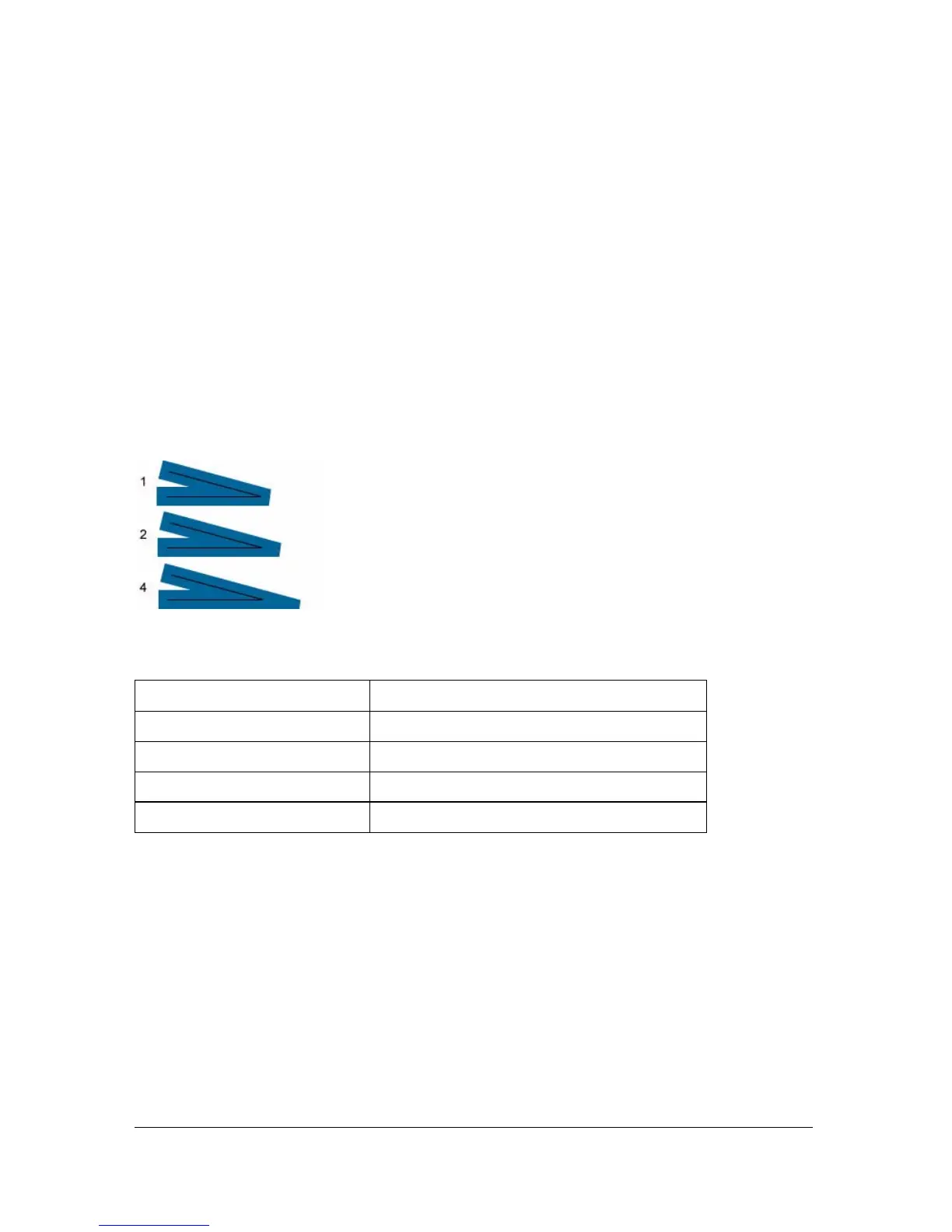
For example, consider the following angled lines, each drawn with a
thickness of 20, but
with
miterLimit set to 1, 2, and 4. Superimposed are black reference lines showing the
meeting points of the joints:
Notice that for a given
miterLimit value, there is a specific maximum angle for which the
miter is cut off. The following table lists some examples:
Example
The following code draws a triangle with a 5-pixel, solid magenta line with no fill, with pixel
hinting, no stroke scaling, no caps, and miter joints with
miterLimit set to 1:
this.createEmptyMovieClip("triangle_mc", this.getNextHighestDepth());
triangle_mc.lineStyle(5, 0xff00ff, 100, true, "none", "round", "miter", 1);
triangle_mc.moveTo(200, 200);
triangle_mc.lineTo(300, 300);
triangle_mc.lineTo(100, 300);
triangle_mc.lineTo(200, 200);
Value of miterLimit value: Angles smaller than this are cut off:
1.414 90 degrees
2 60 degrees
430 degrees
8 15 degrees



 To Next Page