Data binding (Flash Professional only) 403
Working with bindings in the Bindings tab (Flash
Professional only)
Once you have imported and defined schemas for your data components, as described in
“Working with schemas in the Schema tab (Flash Professional only)” on page 396, you can
start adding bindings. You use the Bindings tab to add and remove bindings to and from
components and their properties. All the bindings for a component appear here.
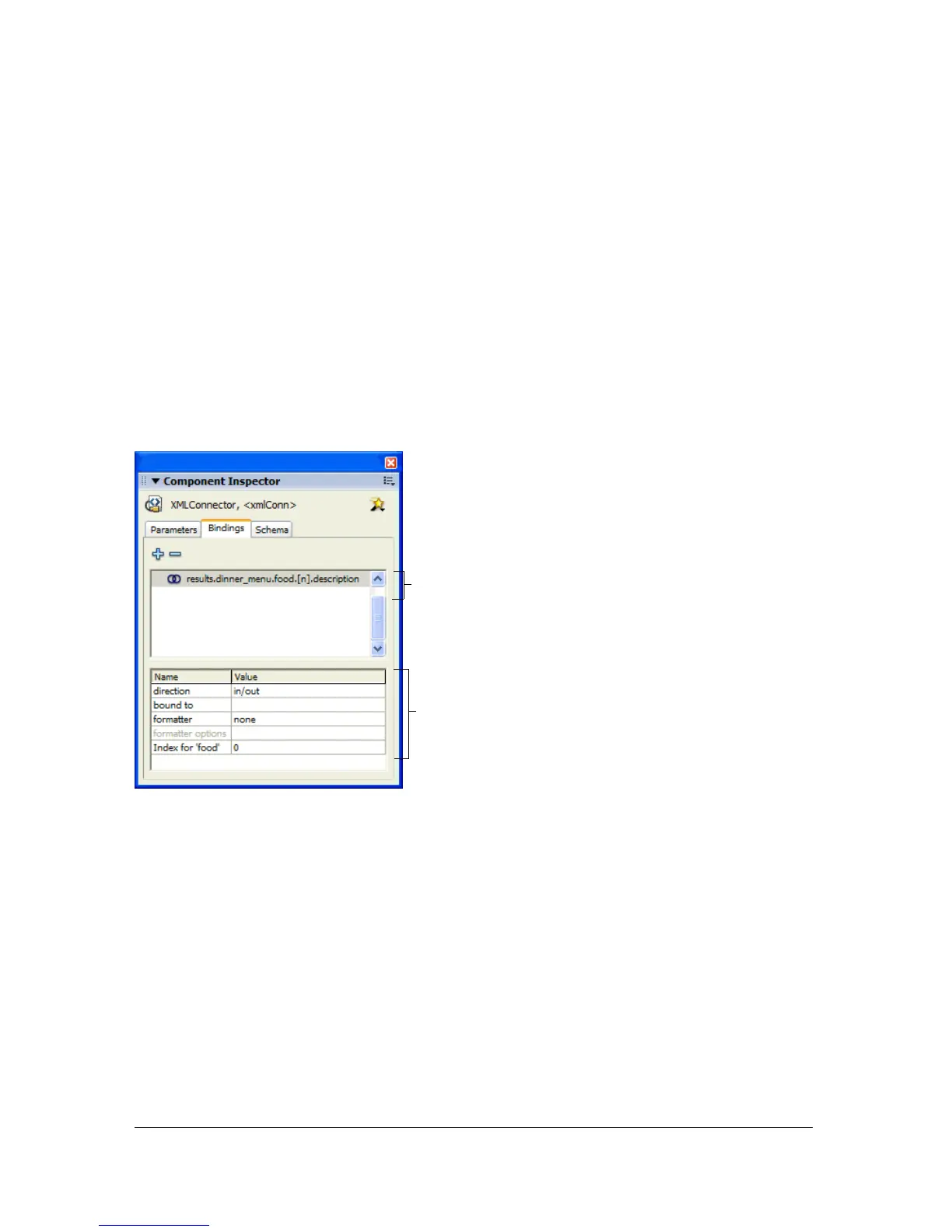
The following illustration shows the Bindings tab. The top pane lists the properties exposed
for binding, represented by their schema location, of the component that’s selected on the
Stage and contains Add Binding (+) and Remove Binding (-) buttons. The bottom pane
shows information about settings for the selected property, such as what it’s bound to and in
which direction it’s bound.
To walk through the steps of creating bindings, see “A simple binding example” on page 395.
The following topics describe each step of creating bindings in more detail:
■ “Adding a binding” on page 404
■ “Configuring bindings” on page 405
■ “Defining what to bind to” on page 406
■ “Creating an indexed binding” on page 407
Bound properties, represented
by their schema locations
Settings for the selected binding



 To Next Page