414 Data Integration (Flash Professional Only)
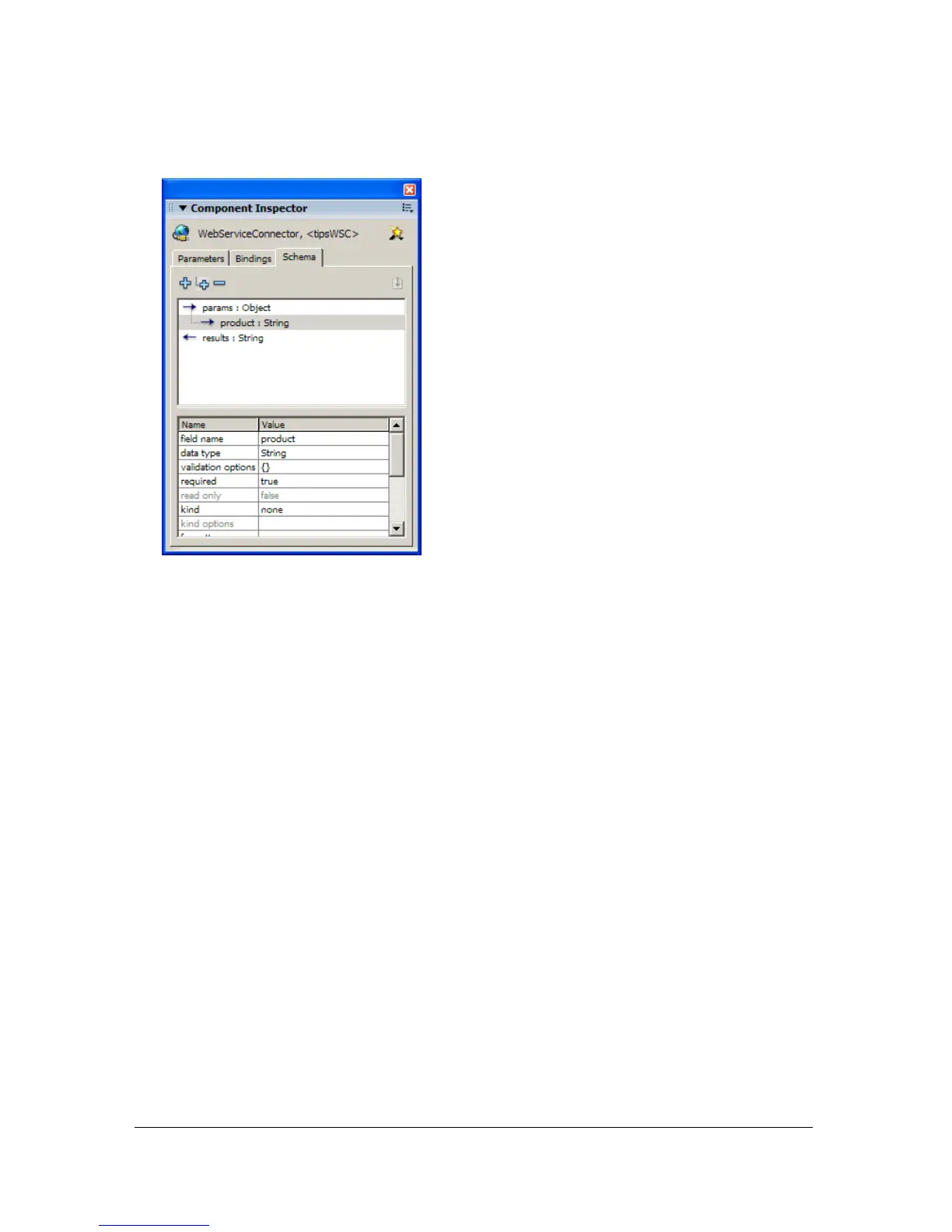
5. Click the Schema tab and view the auto-generated schema for the web service:
The Schema tab displays a schematic representation of the service that you are calling. The
parameters and results structure are defined within the schema. The Tips schema states
that the service expects one String parameter,
product, when it is called; this is the write-
only input, as indicated by the right-pointing arrow. The service returns a string as the
result of the call; this is the read-only output, as indicated by the left-pointing arrow.
Once the web service’s schema is brought into the Schema tab, the items identified within
the schema can now be bound, using the Bindings tab, to a variety of UI controls to let
users input values for the parameters and to get back and display the results of the web
service. To see this web service in action, see the Tips application in the following location:
■ In Windows, browse to boot drive\Program Files\Macromedia\Flash 8\Samples and
Tutorials\Samples\DataIntegration\MacromediaTips
■ On the Macintosh, browse to Macintosh HD/Applications/Macromedia Flash 8/
Samples and Tutorials/Samples/DataIntegration/MacromediaTips
For information on data binding, see “Data binding (Flash Professional only)”
on page 394 and “Working with bindings in the Bindings tab (Flash Professional only)”
on page 403.
For a common workflow and information on the properties, methods, and events of the
WebServiceConnector component, see “WebServiceConnector component (Flash
Professional only)” and “Using the WebServiceConnector component (Flash Professional
only)” in the Components Language Reference.



 To Next Page