Including a Flash learning interaction in a document 555
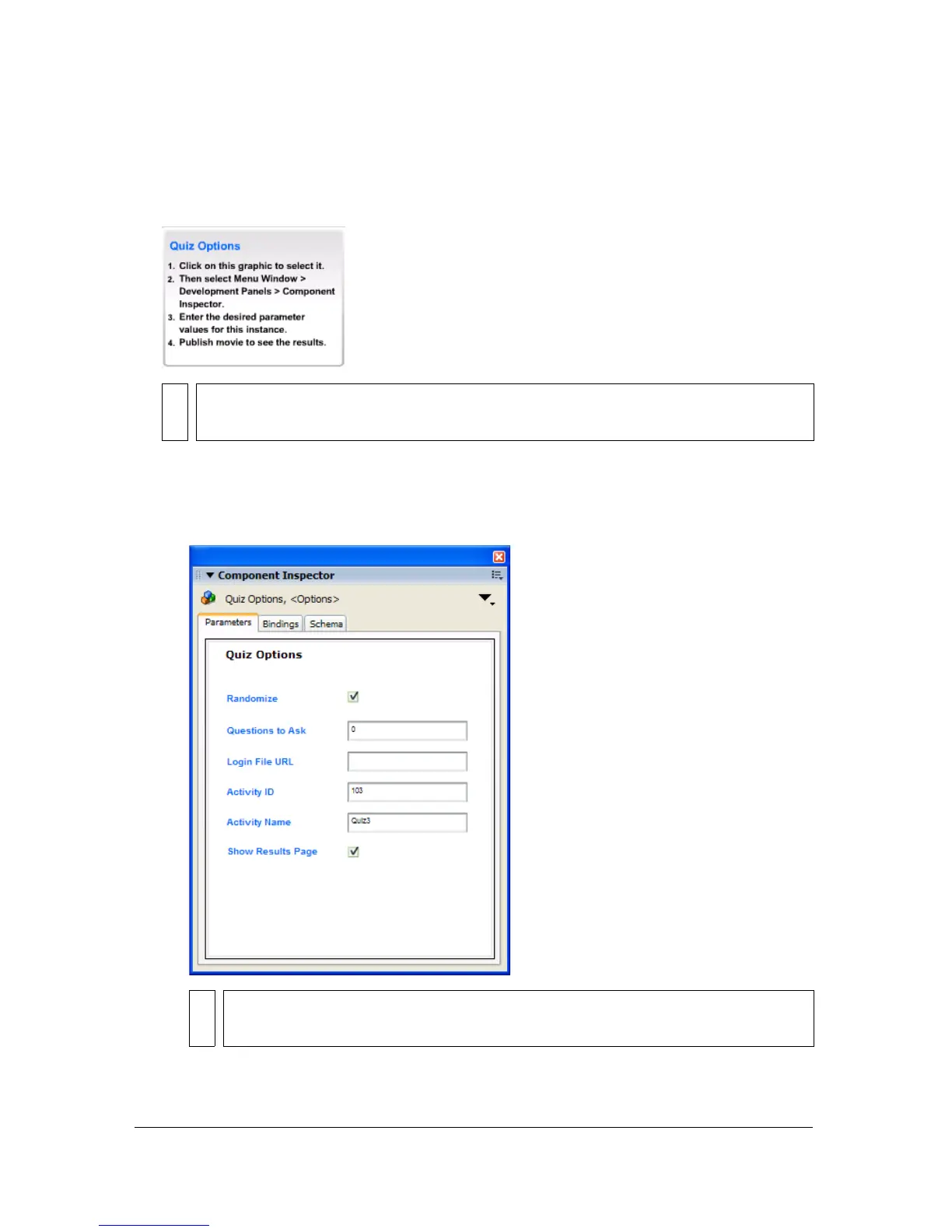
To set quiz parameters:
1. Select the Quiz Options component with instructions to the left of the Stage in the quiz
template. The component lets you set the parameters for the quiz.
2. Do one of the following to open the Component inspector:
■ Select Window > Component Inspector.
■ In the Property inspector, click Launch Component Inspector.
NOTE
These instructions do not appear in the SWF file.
NOTE
If the text in the Component inspector is too small to be legible, drag a corner of
the panel to enlarge it. You may need to undock the panel to enlarge it.



 To Next Page