648 XML to UI
Attributes
id String; represents a unique identification string that is used by the extensibility features
to identify the control and access the value it returns.
class The class or classes for which to list instances.
required Boolean value; if true, the OK button cannot function until a value is entered
for this control; if
false, the control has no effect on the OK button.
pathtype String; the two possible values are relative and absolute.
Child tags
None.
Description
Control tag; creates a control that lists all instances of a class and lets the user select an
instance.
Example
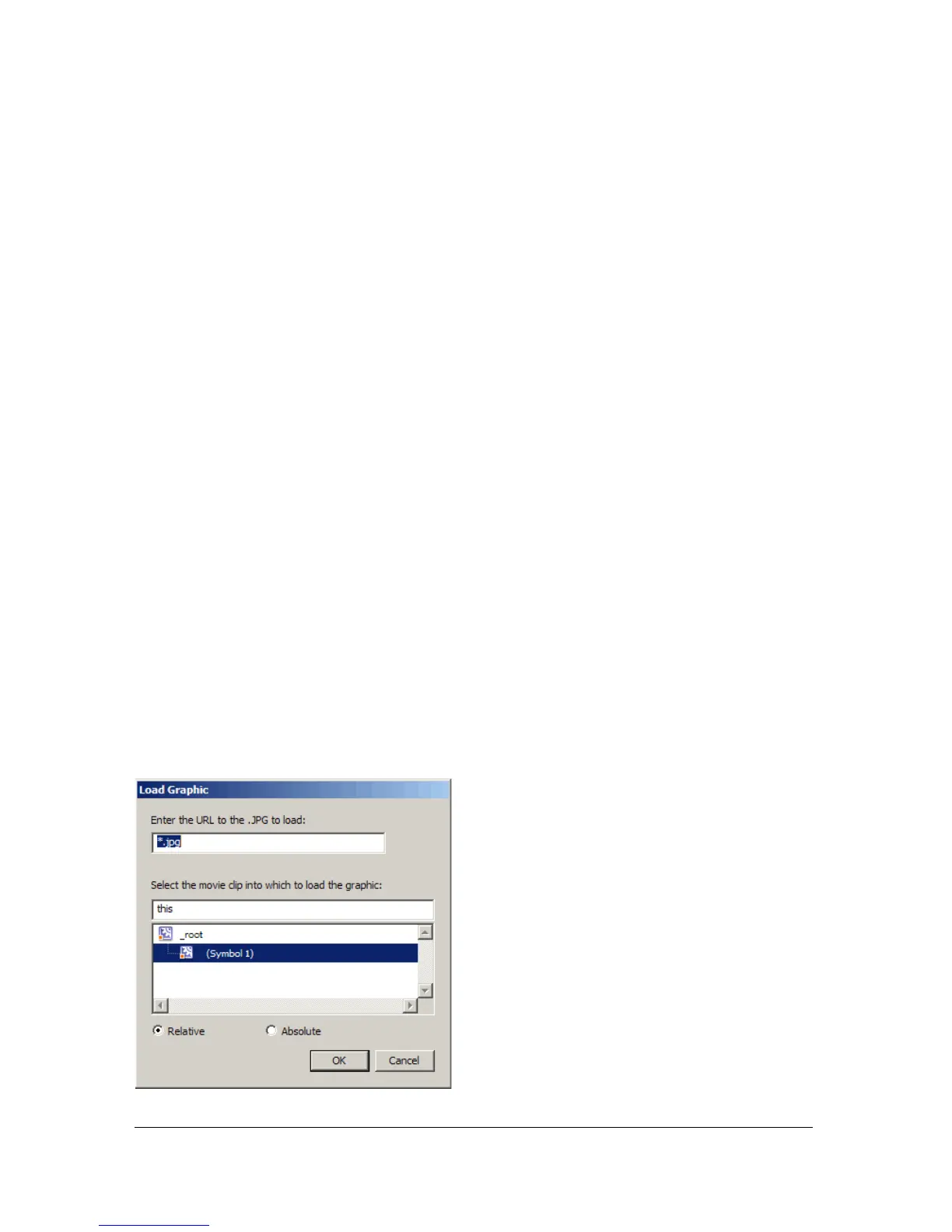
The following example is excepted from the Load Graphic behavior definition file. The tags
define a targetlist control that lets users select a movie clip into which a graphic will be loaded.
For the complete dialog box definition, see the Graphic_load_graphic.xml file in the
Behaviors folder.
<vbox>
<label value=""/>
<label value="Select the movie clip into which to load the graphic:"/>
<targetlist id="target" class="movieclip"/>
</vbox>
The control created by the <targetlist> tag is shown in the following figure:



 To Next Page