r-net user guide
8 5940A R-net User Guide DCR1266
magicmobility.com.au
3 MATING CONNNECTORS
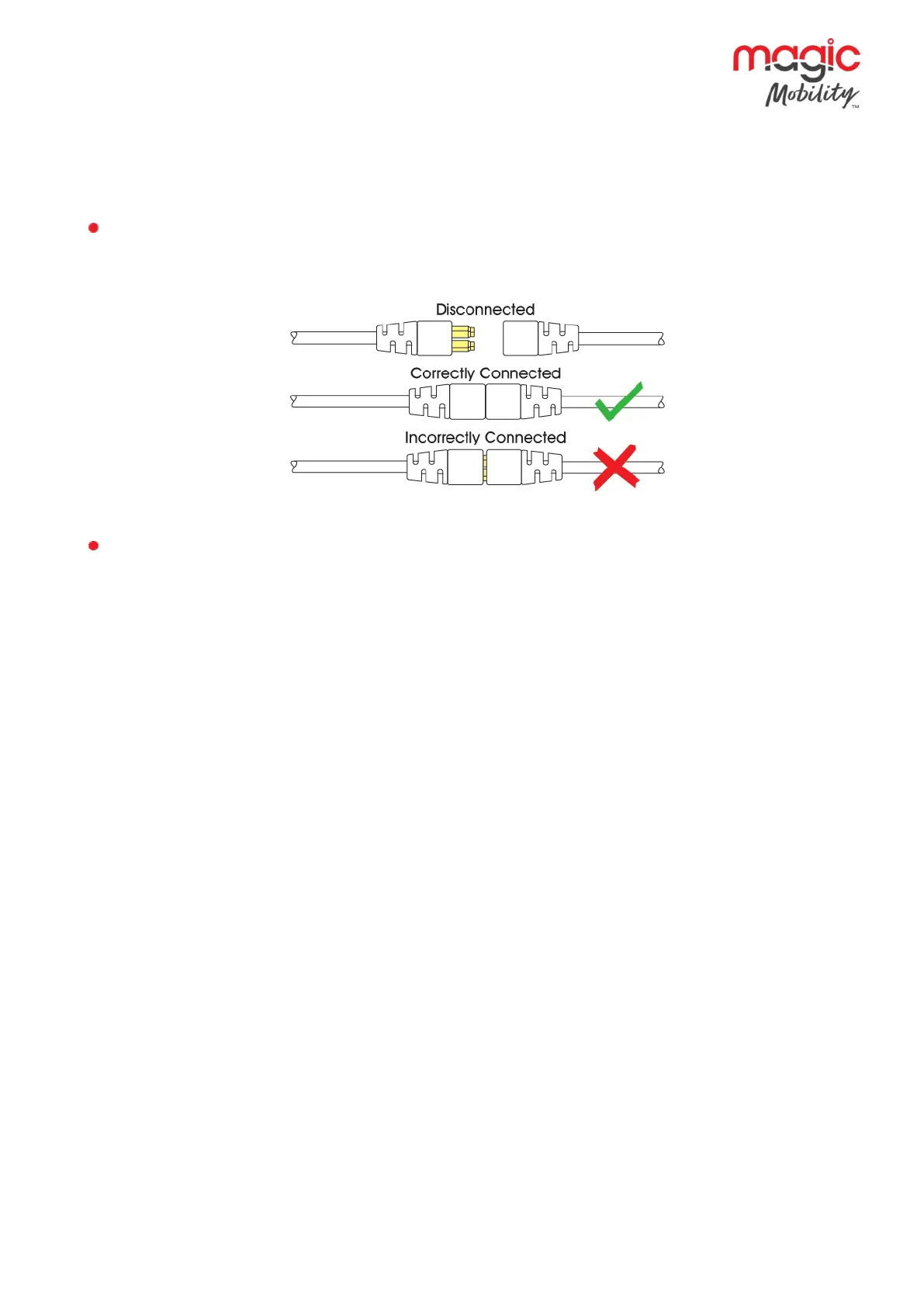
To connect the Communication Cables:
Holding the connector housing, firmly push the connector into its mate until you can no longer see the
yellow plastic.
The connectors are secured using a friction system.
To disconnect the Communication Cables:
Holding the connector housing firmly, pull the connectors apart.
NOTE:
Do not hold or pull on the cable. Always grip the connector when connecting and disconnecting.
When the control system is first switched on after a connection, or system component change the Timer
will be displayed whilst the system checks itself and then the Re-start icon will be displayed. Switch the
control system off and on again to operate.


 To Next Page