22
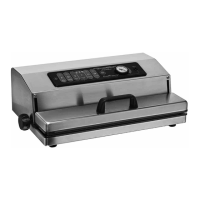
()CONTROLSandFUNCTIONSDESCRIPTION
(2C)
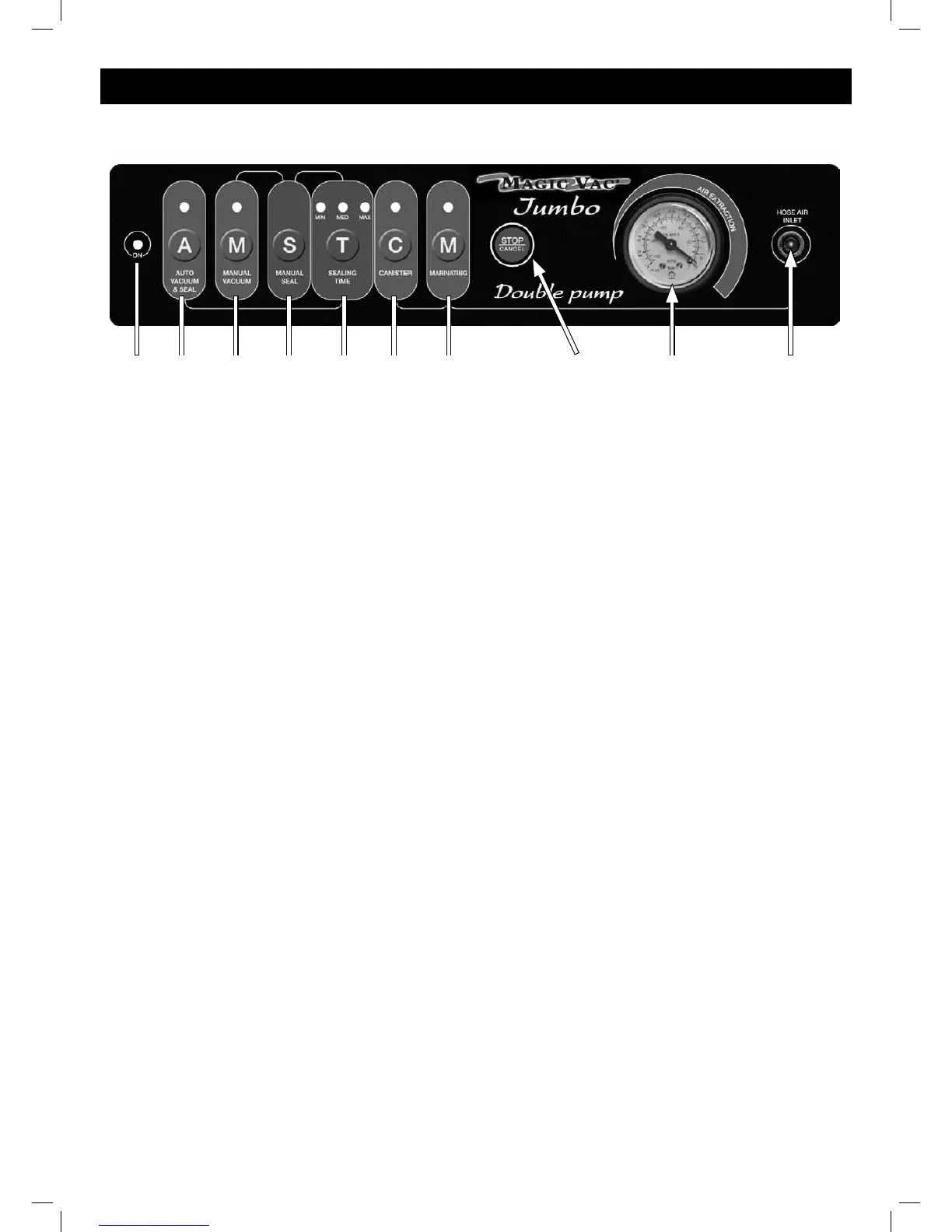
(2A) (2B) (2D) (2E) (2F) (2G) (2H) (3) (4)
(2A) ONindicatorlight-Whentheswitch(1)isonI,theindicatorlightisgreen.
(2B) “A”(AutoVacuum&Seal)button-Itstartsthevacuumpackingautomaticcyclewithnalsealingofthebags.
(2C)STOP/CANCELbutton-It stops the appliance at any time.
(2D)“M”(ManualVacuum)button-Itstartsthemanualcycle;theappliancewillcontinuedrawingoutairuntiltheS
buttonispressedtostartmanualsealing.
(2E) “S”(ManualSeal)button-Itstartsmanualsealing.
(2F) “T”(SealingTime)button-Forselectingsealingtime.
(2G)“C” (Canister) button - It starts the automatic vacuum packing cycle in MAGIC VAC
®
Executive containers, in
containers sealed with MAGIC VAC
®
universalcaps,inbottlesusingMAGICVAC
®
bottlecapsandinglassjarswith
lidandring.
(2H)“M”(Marinating)button-Itstartsthe“Quickmarinating”specialfunction,tobecarriedoutonlyinthe2.5liter
squareMAGICVAC
®
ExecutivecontainercodeACO1073
(3) Vacuumgauge-It indicates the vacuum value obtained
(4) Hoseairinlet-ForconnectingthehosetocreatethevacuuminMAGICVAC
®
Executive containers, in containers
sealed with MAGIC VAC
®
UniversalCaps,inbottlesusingMAGICVAC
®
BottleCapsandinglassjarswithlidandring.
*


 To Next Page