41
MAGNAMED TECNOLOGIA MÉDICA S/A
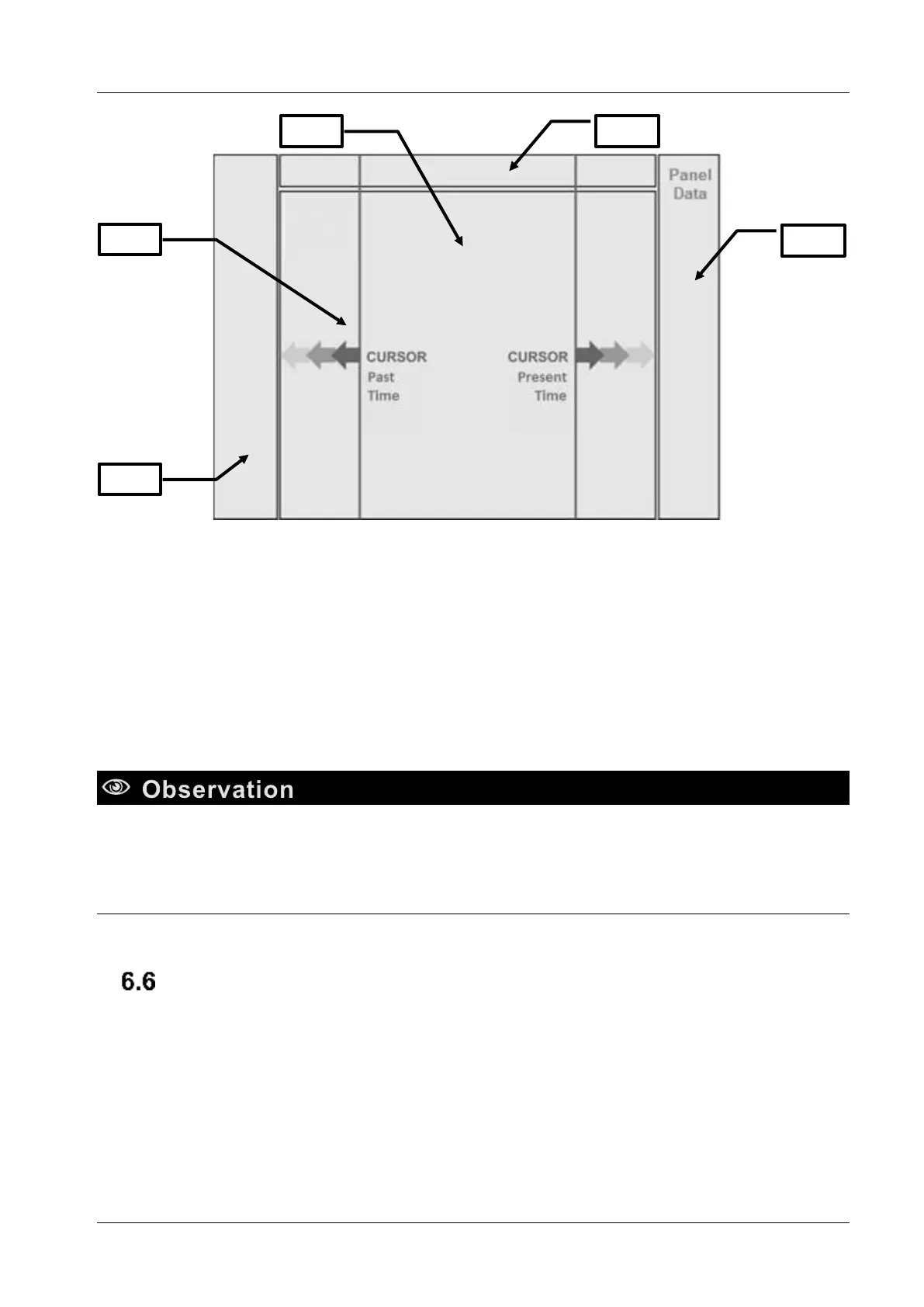
Figure 5 – Trend
1. Data Panel - Displays data about the position of the cursor on the timeline.
2. Event Panel - Indicates standby mode, alarm event or adjustments performed.
3. Screen Graph - Displays graphics up to 3 parameters selected.
4. Cursor – draws over the graph, allowing to analyze their points
5. Pressure Bargraph
• To move the cursor on the trend graph, simply touch the screen to the desired position or rotate
the spin and confirm button.
Calibrations
It is recommended the calibration of some components before use in the following situations:
6.6.1 Distal flow sensor
• Replacement of distal flow sensor
• Active alarm with the message “CHECK FLOW SENSOR”.


 To Next Page