USE A MICRO SIM CARD (micro-SIM, see the picture)
WITH MEMORY FOR UP TO 250 CONTACTS!
Insert SIM card to be used for ZEUS4-VD in your personal mobile phone.
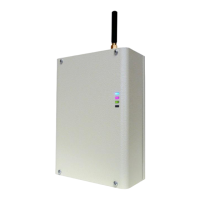
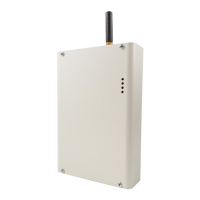
Insert SIM card into SIM holder on the ZEUS4-VD device. The unit must be switched OFF
when you insert the SIM!
Connect the antenna to antenna connector.
Connect alarm inputs and outputs to ZEUS4-VD.Connect device to source power supply
voltage.
Wait until LED3 display is turned ON (green) and LED1 (blue) starts flashing. This is set in
around 1 minute.
ZEUS4-VD unit is now ready to operate.
Before sending any SMS commands to ZEUS4-VD device, ZEUS4-VD
must be in normal operation!
When the backup battery 12V/1,2Ah is connected to the unit the main
power supply must be from 13,8V to 14,5V DC!


 To Next Page