Rad-97 Service Manual Chapter 3: Service Procedures
Masimo Corporation 21 www.masimo.com
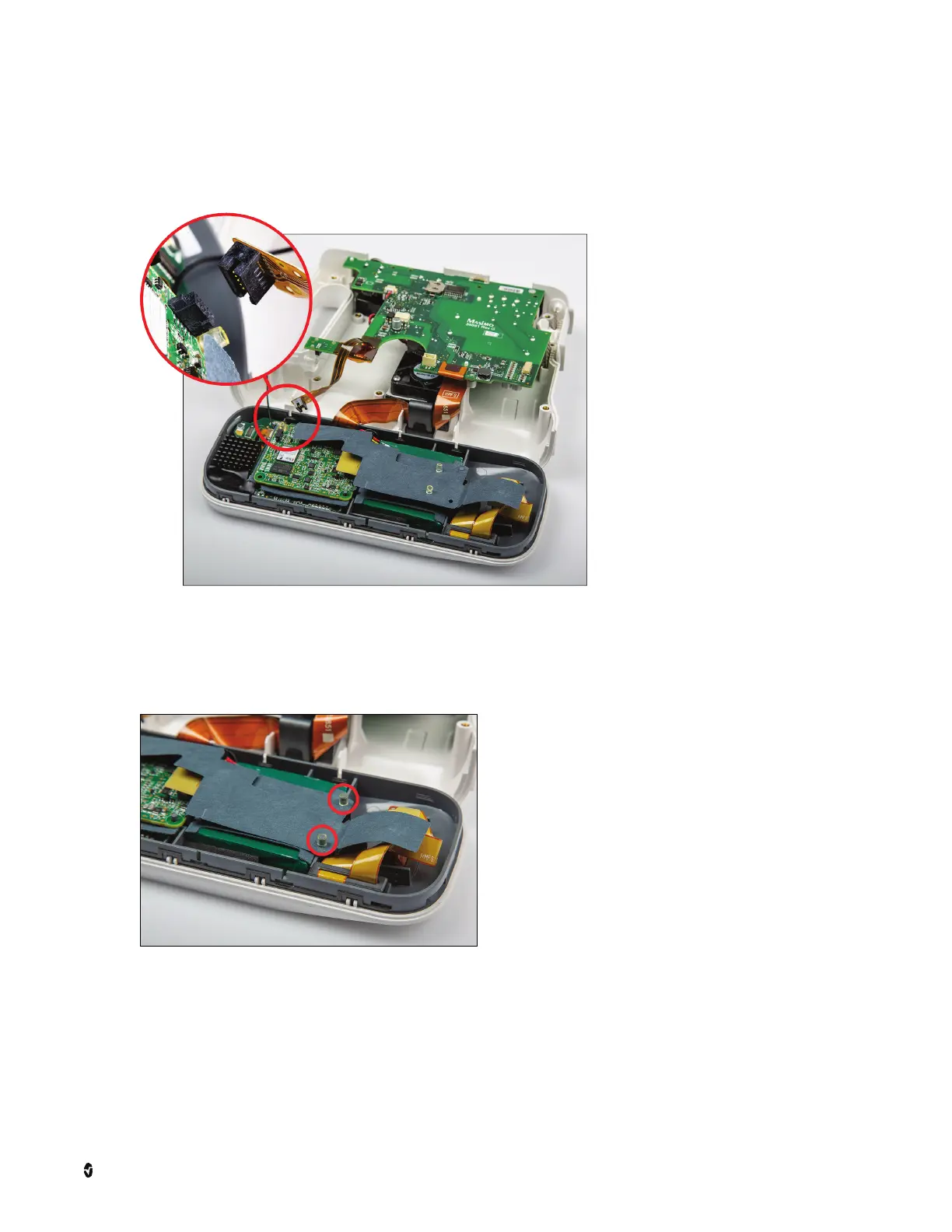
4. Carefully disconnect the ribbon cable from the circuit board.
• For Rad-97 with NomoLine Capnography, the capnography tubing will prevent the front assembly from lying flat on the working surface, but the procedure is
the same. Work within the space between the front assembly and the main assembly with the tubing still connected.
CAUTION: Use care not to disconnect the capnography tubes.
5. Rotate the faceplate and place it face-down on the anti-static mat. Use care not to damage the screen during battery replacement.
6. Working from the rear of the faceplate (where the battery is located), remove the two (2) rubber retainers from the posts at the bottom of the insulator as shown.
It may be necessary to use the small, flat-tipped screwdriver and needle-nose pliers to remove the retainers.
Note: Some models may only have one (1) rubber retainer.



 To Next Page