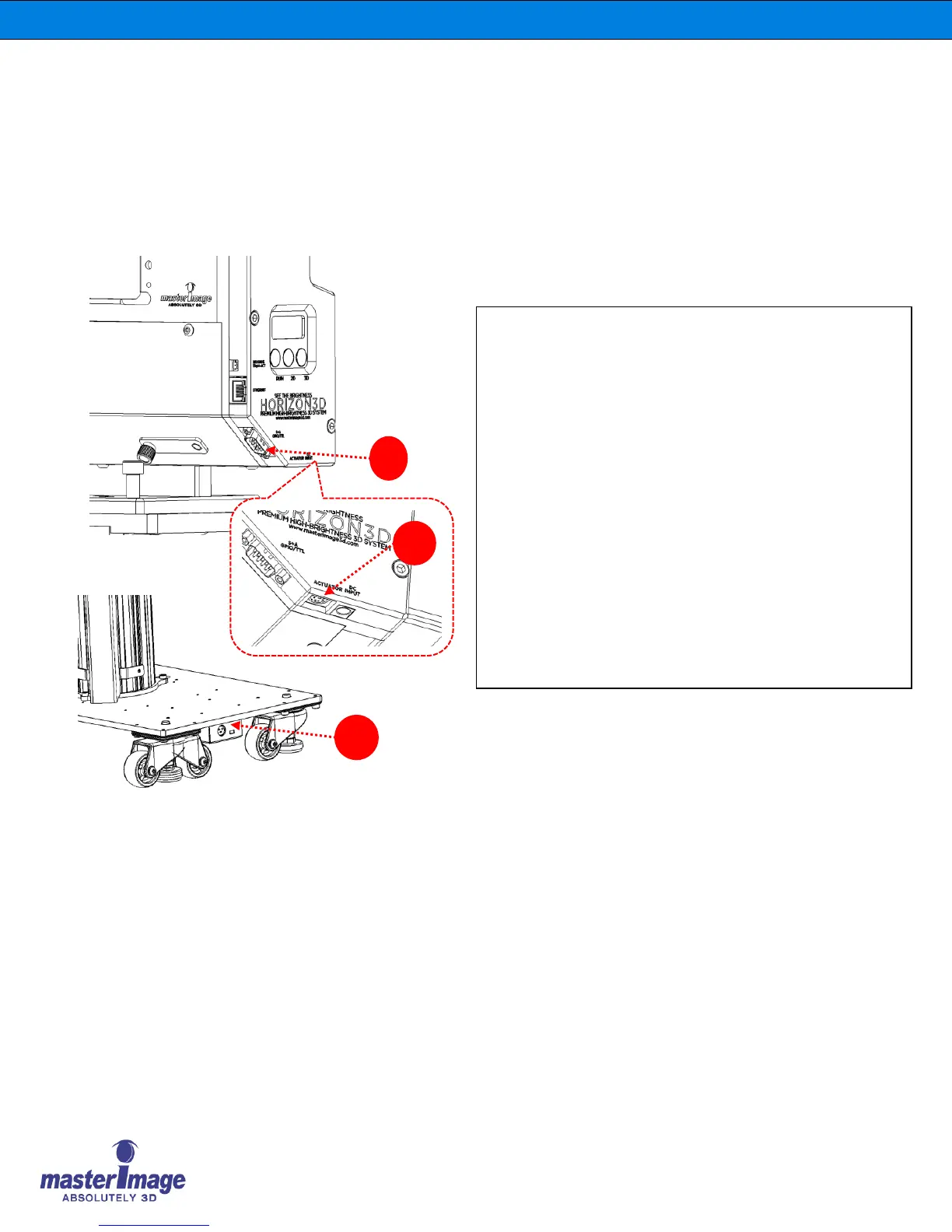
6.1.2. Cable Connections
A. Connecting the GPIO SYNC cable
1. Connect the SYNC cable to the Optical Head Assembly
GPIO/TTL port.
2. Tighten both screws securely.
3. Connect the other end to the DLP Projectors GPIO Port.
B. Connecting the Actuator Cable
1. Connect the Actuator Cable from the Lift Column
Actuator to the Optical Head Assembly Actuator Port.
C. Connecting the DC Power Cable
1. Insert the AC power cable into AC/DC adaptor.
2. Insert the plug into the AC power outlet.
3. Insert the DC jack into the DC Power Port and the system
is turned the system on automatically.



 To Next Page