Installation & Operation Manual | HORIZON3D
7. Projector Configuration
7.1. Projector 3D File Configuration
The projector’s 3D control file must be configured to work with the HORIZON3D. These
procedures describe configuring the control files for Series II projectors.
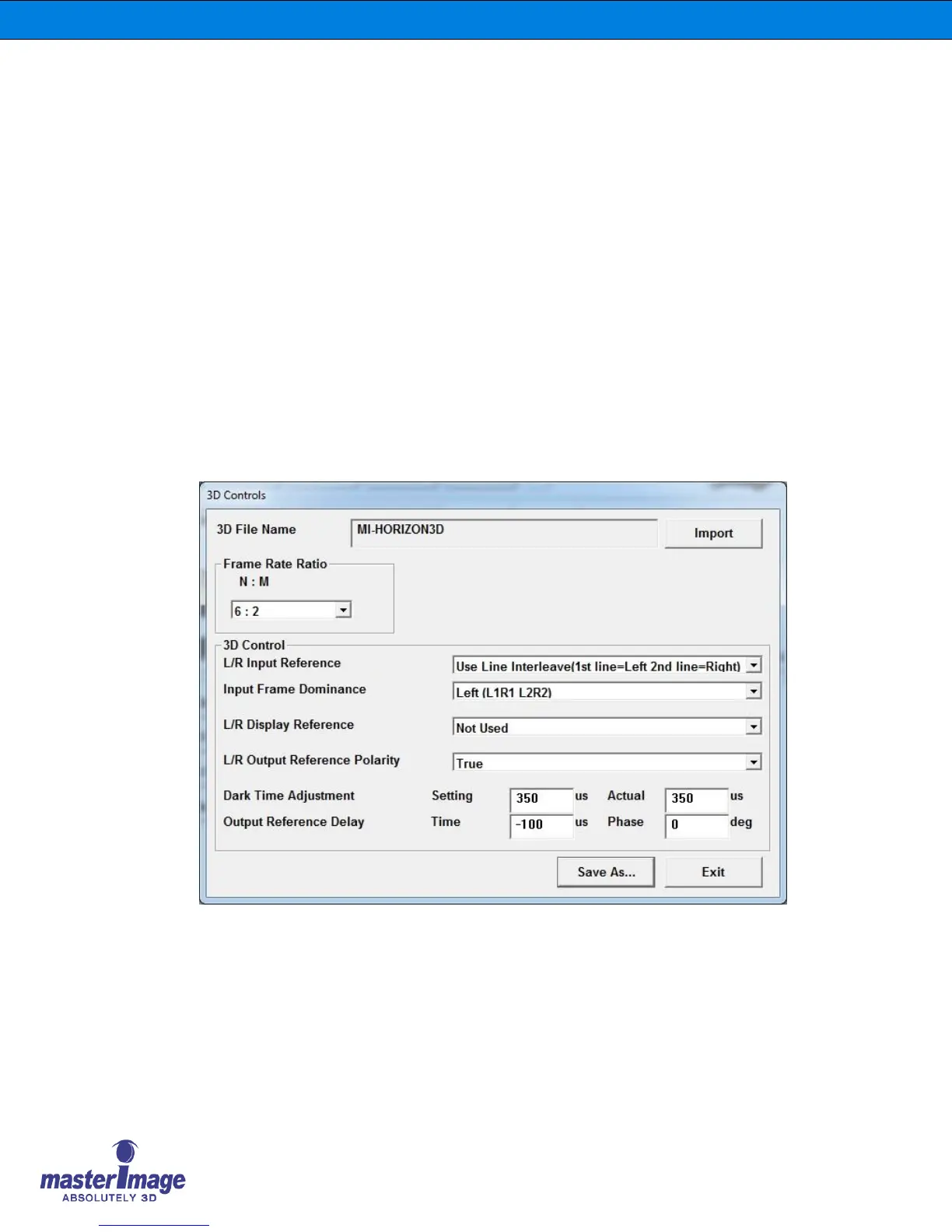
The Dark Time should be set to 350µS with the Delay being set to -100µS. These figures are
applicable to all frame rates and projector flash configurations.
Follow the instructions for the appropriate projector.
7.2. Series II Projectors
Configure the projector settings as shown in the graphics below for NEC, Christie, and Barco
Projectors.
7.2.1. NEC Series II File Settings for External Server
Playback
NEC



 To Next Page