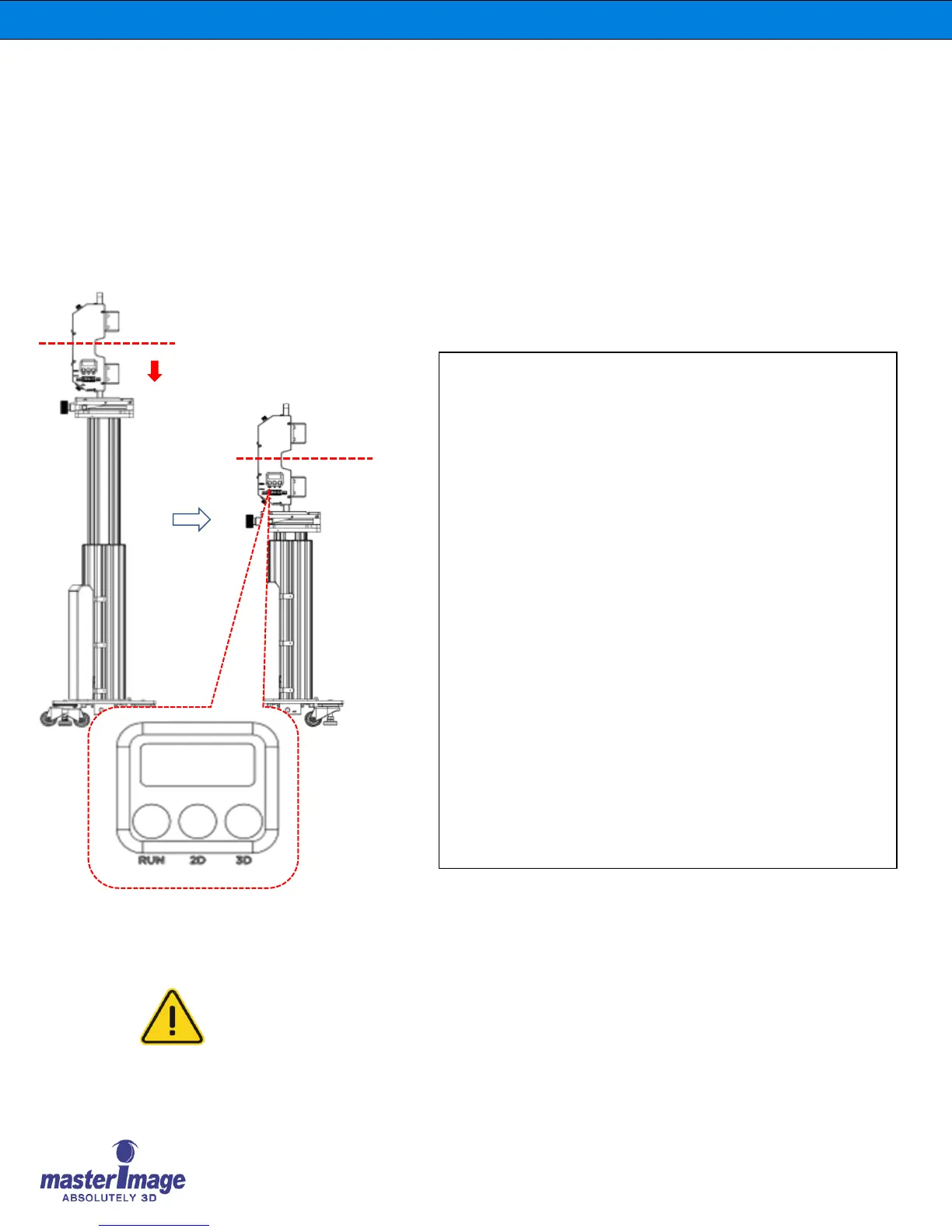
Before moving and re-installing the HORIZON3D, follow
the below steps for your safety.
1. Press the RUN & 3D & 2D buttons (Origin Button) at the
same time and hold for more than 1second then release, the
Lift Column Actuator will drop to the Zero Position
automatically.
2. After pressing ‘Origin Button’ sequence, the 3D position
and 2D position information will be erased from the system
memory, if the 3D or 2D button is pressed the Lift Actuator
Column doesn’t move.
The 3D position and 2D position setting must be re-
memorized before further system operation.
Before positioning or operating the HORIZON3D for 3D and 2D,
take note of the below information.
When the AC Power is interrupted or disconnected suddenly
while the 3D or 2D positioning is operating, the 3D & 2D button
LED’s will blink.
At this time, press the 3D or 2D button and the Lift Actuator
Column will lower to the Zero Position automatically.



 To Next Page