Installation & Operation Manual | HORIZON3D
10.2. Web Server (MPFS) Upgrade Procedure
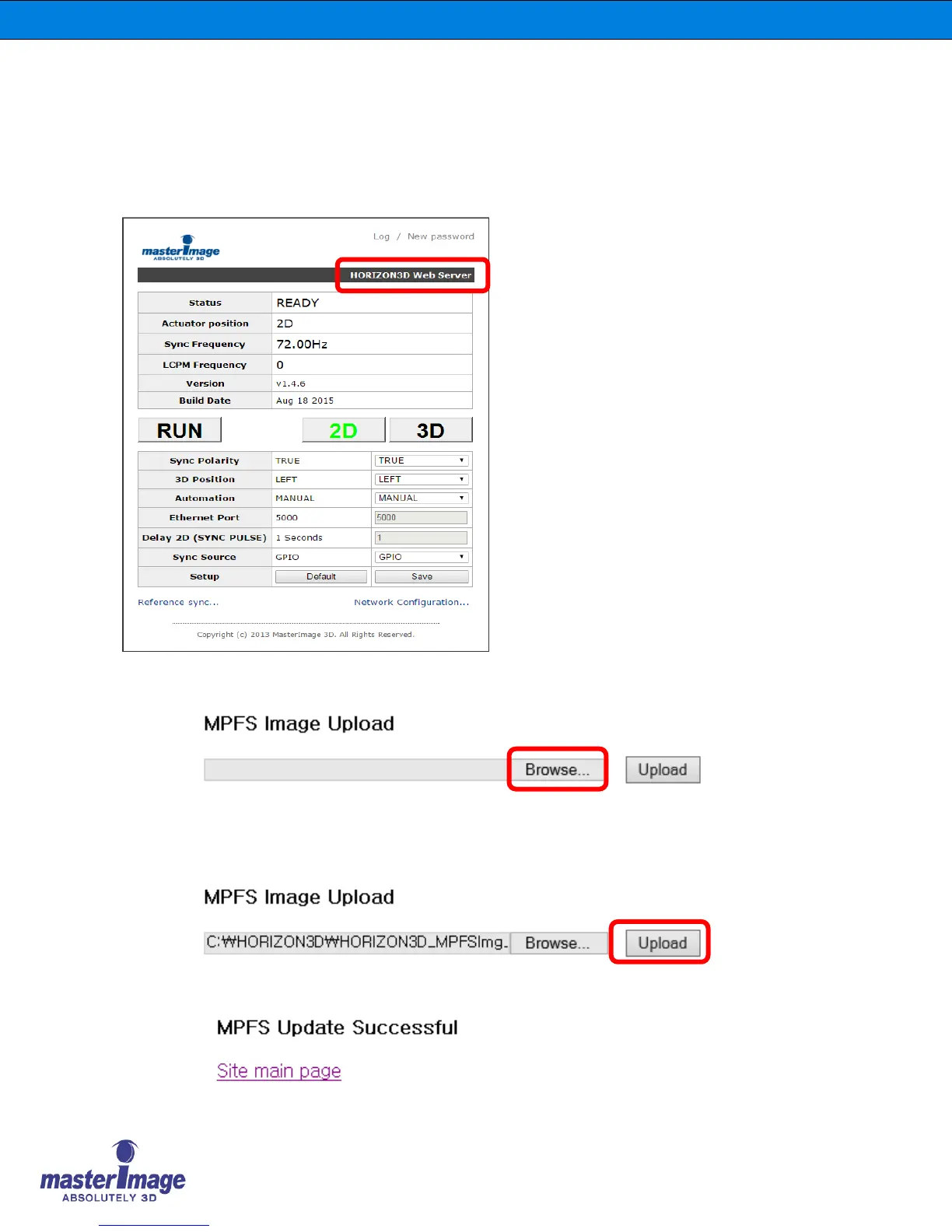
1. If an MPFS Upgrade is indicated as being required this must be completed before the
System Firmware is upgraded.
2. Connect to the HORIZON3D system via Ethernet cable and launch the Monitor
Application as described in section 8 of this manual.
4. You will be asked to select the upgrade file from the saved location on your computer.
5. Click the ‘Select’ button indicated above and choose the upgrade file, e.g. MI-
HORIZON3D_MPFSImg_v1.4.4_20150421.bin
6. Click the ‘Upload’ button to start the file upgrade process.
7. Check for the success statement once the upgrade is complete.
3. Click on ‘HORIZON3D Web Server’
as highlighted by the red box in the
image to the left.



 To Next Page