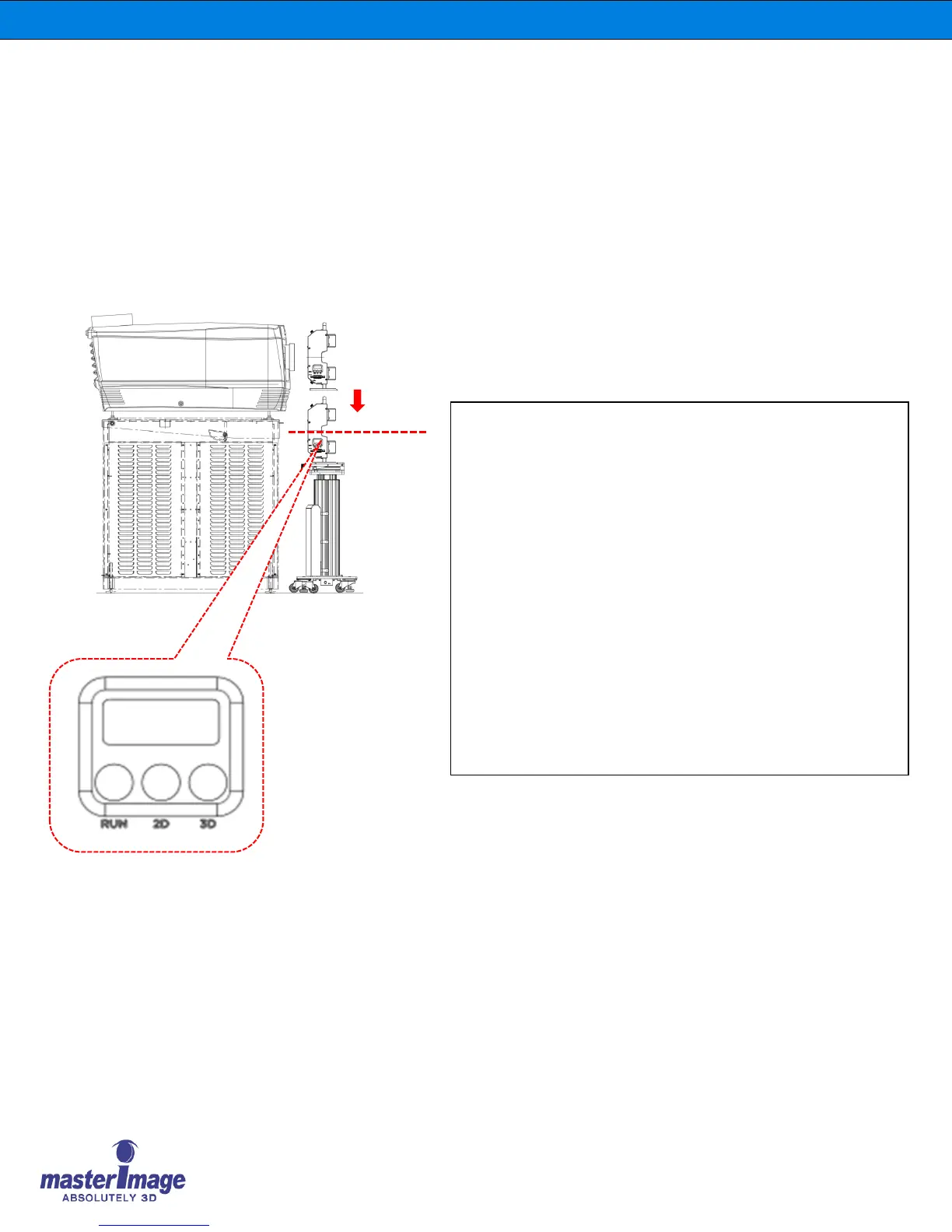
8. Press the 2D button to activate the Lift Column Actuator and
move the position downwards. The 2D button’s LED will blink.
9. When the Optical Head has cleared the zoom lens and is at the
position you want it to be, release the 2D button.
10. To save the 2D position, press the RUN & 2D button at the same
time and hold for more than 1 second then release.
11. To exit the setting mode of 3D and 2D position, press the 3D and
2D button at the same time and hold for more than 1second then
release.
12. The 7-segment display will show “00” on the Control Panel.
If the GPIO SYNC cable is connected with the DLP projector,
then the display will show the sync frequency being output.
(For example, sync frequency is 24, 36, 72, 96Hz etc…)



 To Next Page