Installation & Operation Manual | HORIZON3D
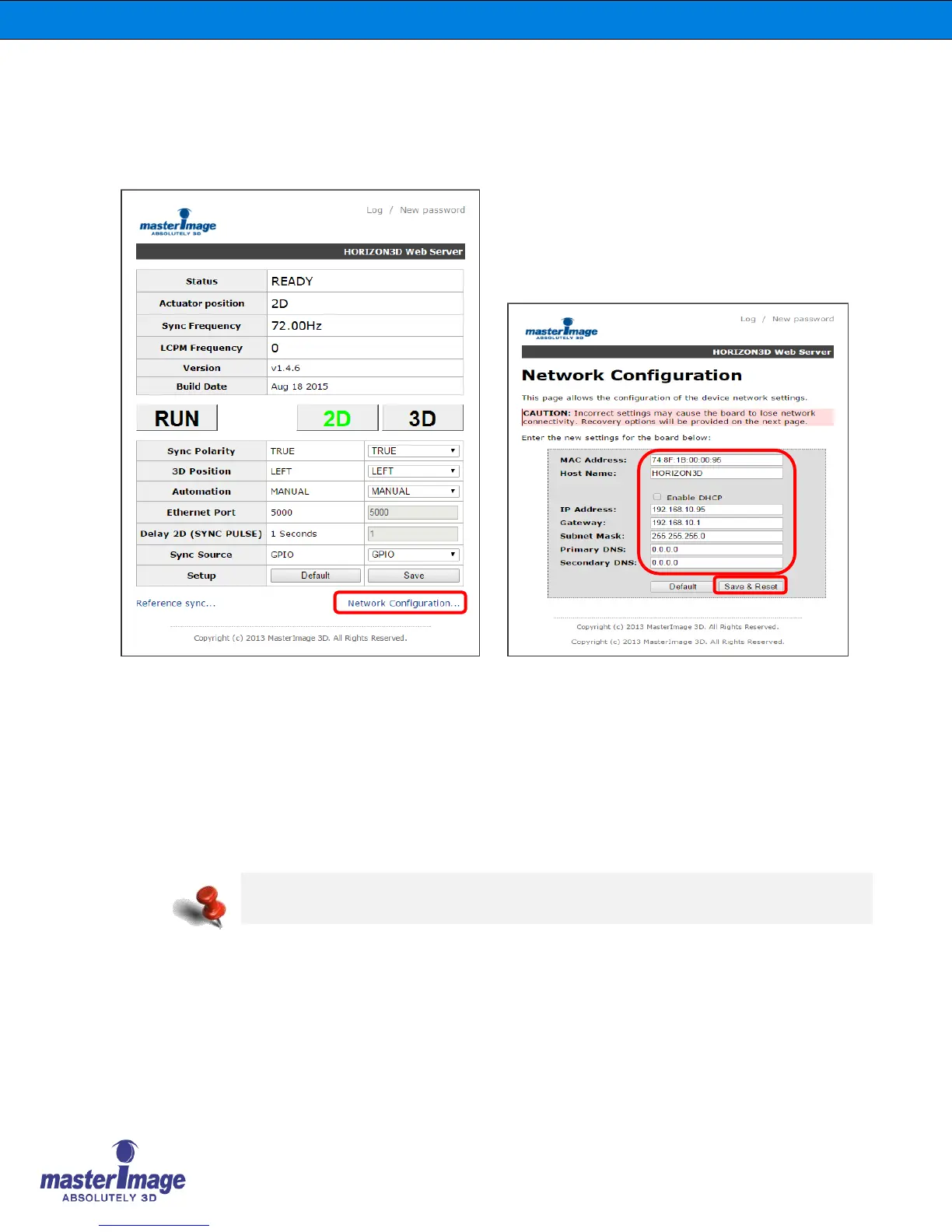
8.11. Network Configuration via the Monitor Application
Configure the network settings of the HORIZON3D to operate on your network via ethernet
communication.
Click [Network Configuration] to access the settings window.
Enter the IP Address, Gateway, Subnet Mask, Primary DNS and Secondary DNS of your
network accordingly.
Click the [Save Config] button to accept any changes. Note the system will reboot in order to
recognize these changes.
Click your browser back button twice to return to the main screen.
The default IP Address is 192.168.10.95
The maximum Ethernet speed is 1Mbps



 To Next Page