Installation & Operation Manual | HORIZON3D
8.2.1. Changing the User Password
To prevent access to the HORIZON3D from unauthorized persons it is possible to change the
system password.
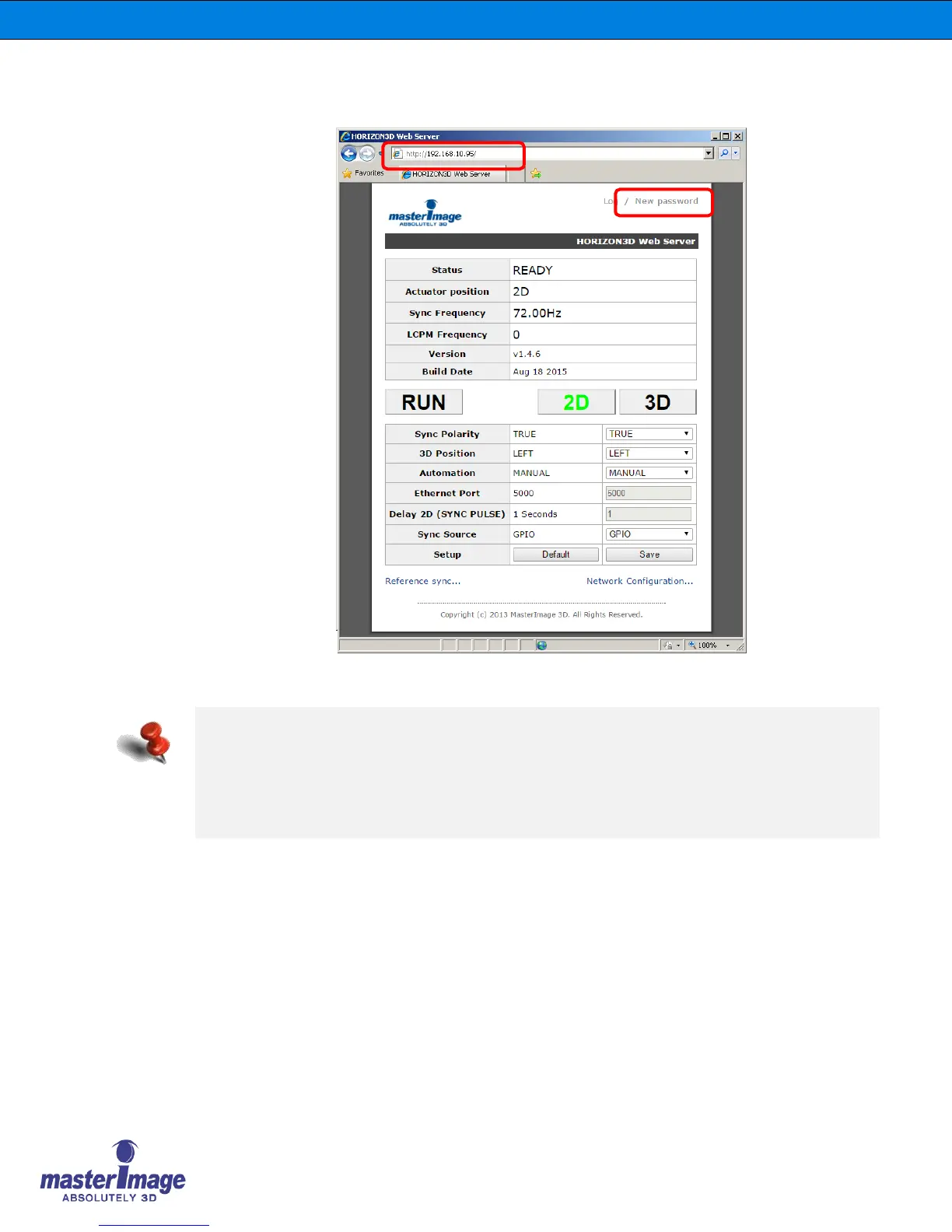
Click the [New Password] link in the upper right corner of the HORIZON3D Web Server shown
above and the ‘Change Password’ dialog box will be displayed.
HORIZON3D Web Server shows all the system status information.
- Status: Ready or Running
- Actuator Position: 2D or 3D
- Sync Frequency: Sync frequency from the Projector
- LCPM Frequency: Operating Sync frequency from the Liquid Crystal Panel
- Version & Build Date: Built date and Firmware Version No.



 To Next Page