Installation & Operation Manual | HORIZON3D
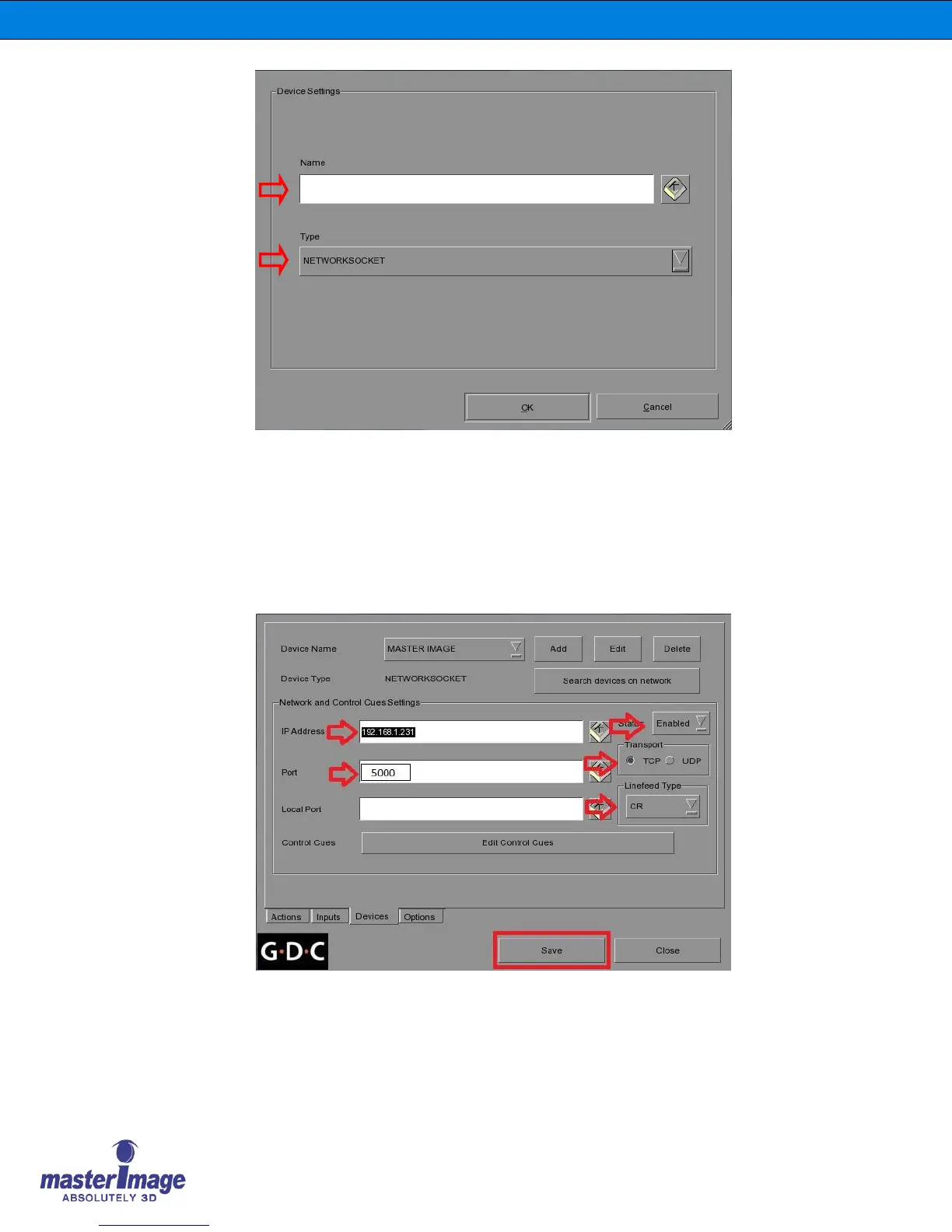
4. Name the new device MasterImage, and ensure the Type selection is set to
NETWORKSOCKET, then click OK.
5. In the next screen, enter the configuration settings for the HORIZON3D IP Address
and Port Number.
6. In the Transport option select TCP and in the Linefeed Type select CR and ensure
the Status is set to Enabled.
7. Once all entries have been made click the Save button.
Last, it is necessary to program the control macros in the server.
8. Click the Edit Control Cues button and the following screen will display.



 To Next Page