Installation & Operation Manual | MI-WAVE3D
9. MI-WAVE3D Detailed Setup & Configuration
9.1. 3D Phase Sync Polarity
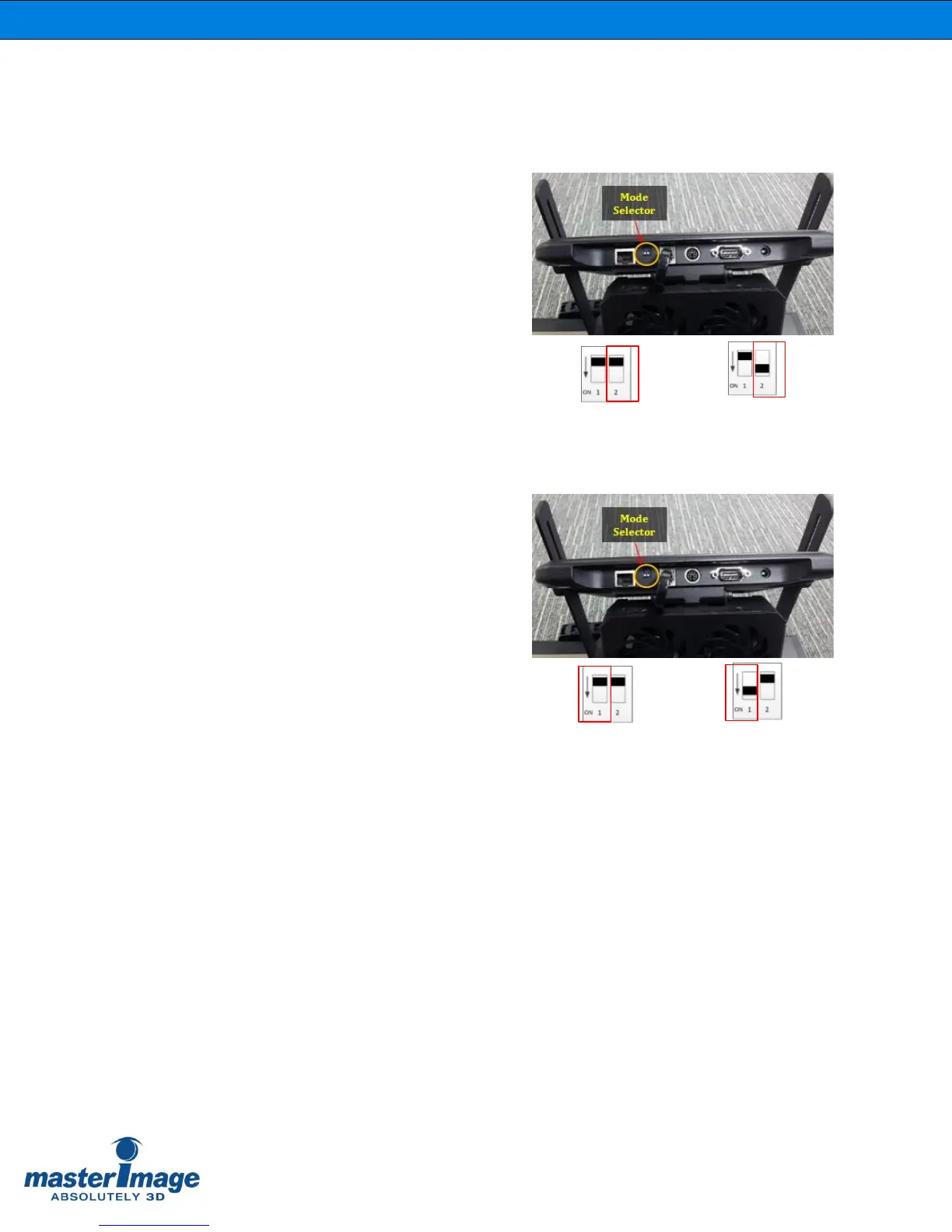
If necessary it is possible to change the
sync polarity of the 3D phase by changing
the position of Mode Selector switch 2 on
the bottom of the LCPM.
Using the tip of your finger nail move the
switch to the ON position as indicated to
Invert the sync polarity.
(Figure 23).
Figure 23. 3D Phase Sync Polarity
9.2. Actuator 3D Position
If necessary it is possible to change the
actuator 3D position by changing the
position of Mode Selector switch 1 on the
bottom of the LCPM.
Using the tip of your finger nail move the
switch to the ON position as indicated to
change the 3D position from Left to Right
depending on your installation.
(Figure 24).
Figure 24. 3D Position Left/Right



 To Next Page