Installation & Operation Manual | MI-WAVE3D
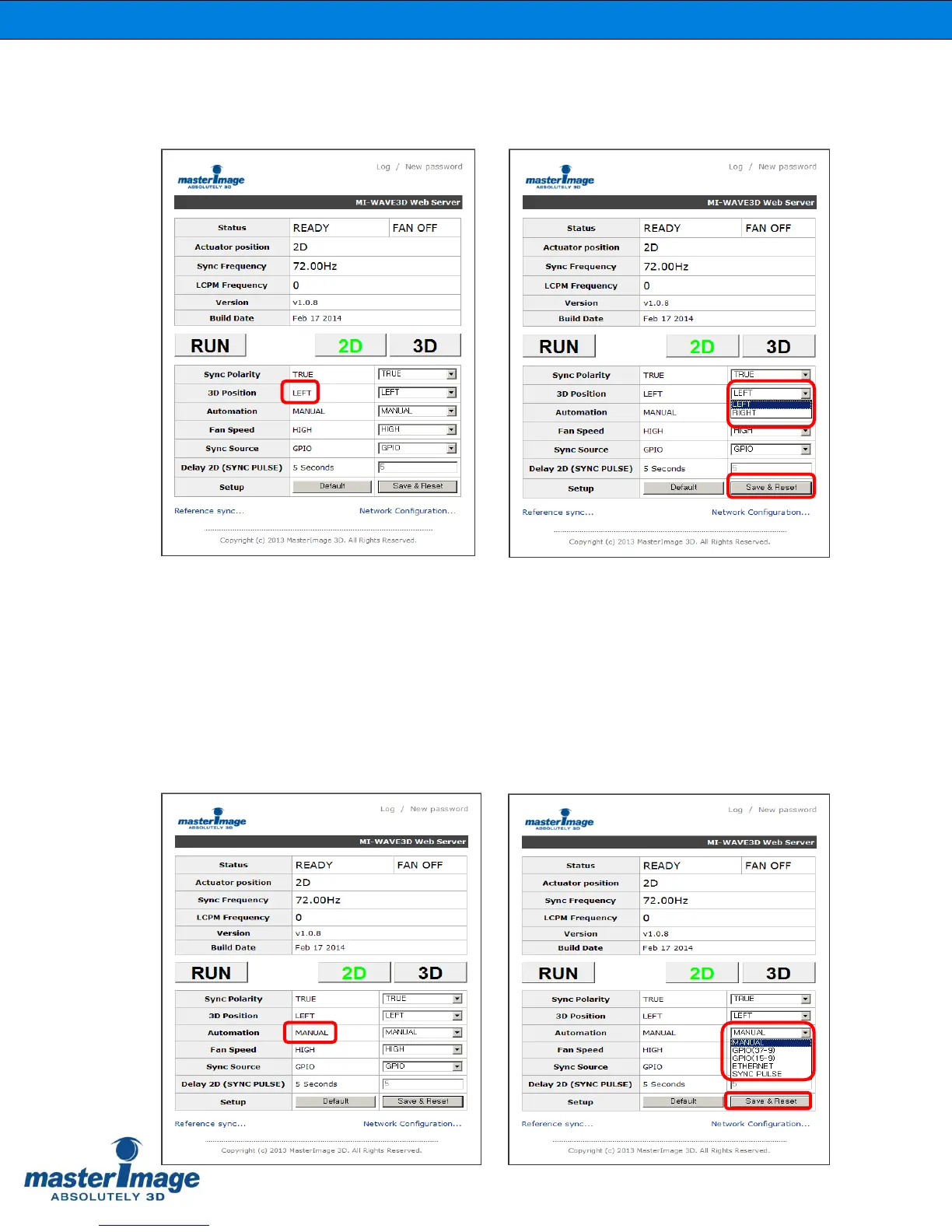
9.3.9. Setting 3D Position via the Monitor Application
Check the current setting for the 3D position of the Actuator.
If required by the installation requirements for the system the 3D Position can be changed
from ‘Left’ to ‘Right’ accordingly.
Click [Save & Reset] to accept any changes.
9.3.10. Automation Source via the Monitor
Application
Check the current setting for the Automation Source of the system, by default this is set
to ‘Manual’.



 To Next Page