Installation & Operation Manual | MI-WAVE3D
The indication under Status will change from ‘Ready’ to ‘Running’.
The cooling fans will be operational and this will be displayed in the application.
Once synchronized the LCPM frequency will be displayed.
9.3.5. Position Movement via the Monitor Application
9.3.6. 3D Position
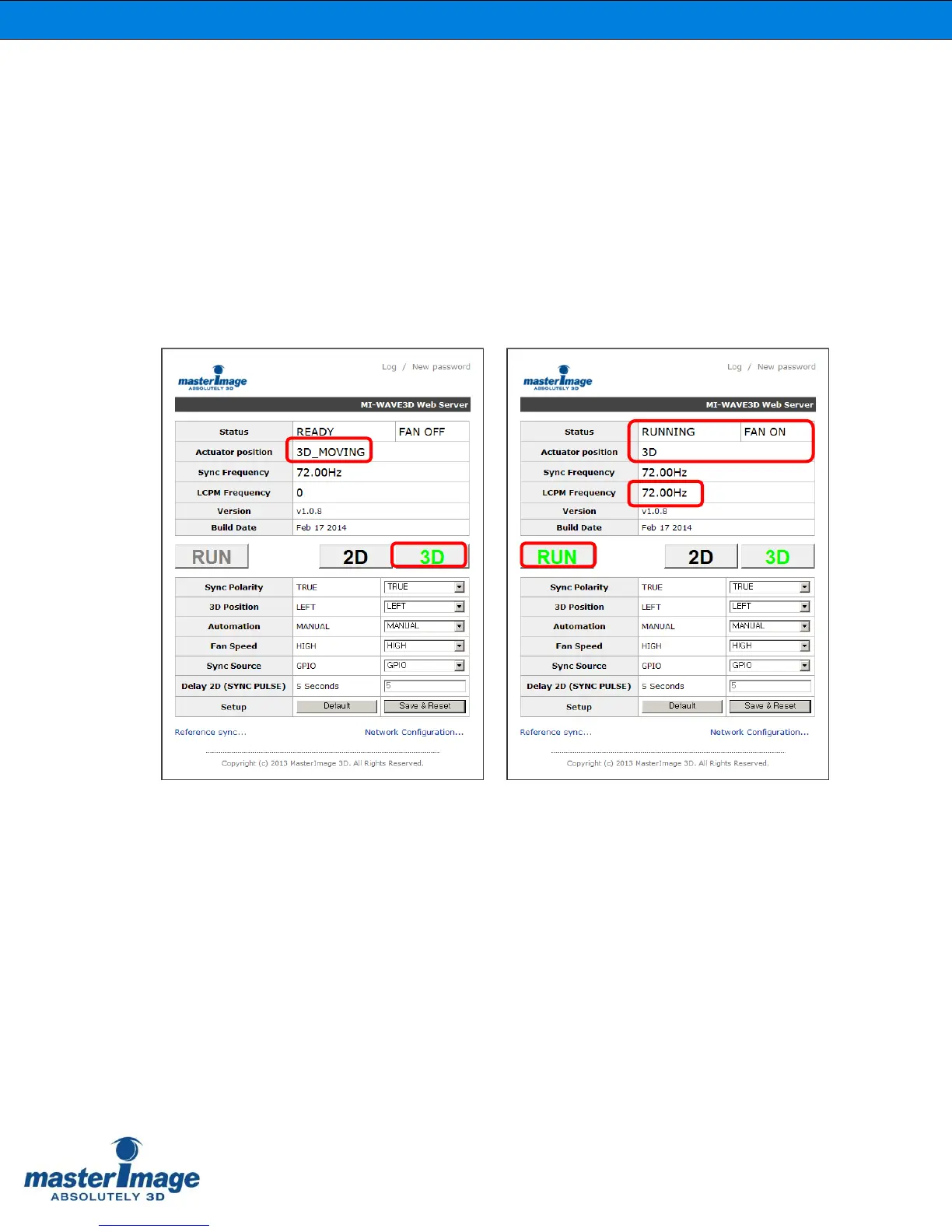
Click the [3D] button to move the actuator to the 3D position.
The color of the [3D] button will change from black to green.
The color of the [RUN] button will change from black to green.
The indication under Status will change from ‘Ready’ to ‘Running’.
The cooling fans will be operational and this will be displayed in the application.
Whilst the actuator is transitioning to the 3D position ‘3D_Moving’ will be displayed, when
the 3D position is reached this will change to ‘3D’.
Once synchronized the LCPM frequency will be displayed.



 To Next Page