Installation & Operation Manual | MI-WAVE3D
9.3.3. Changing the User Password
To prevent access to the MI-WAVE3D from unauthorized persons it is possible to change
the system password.
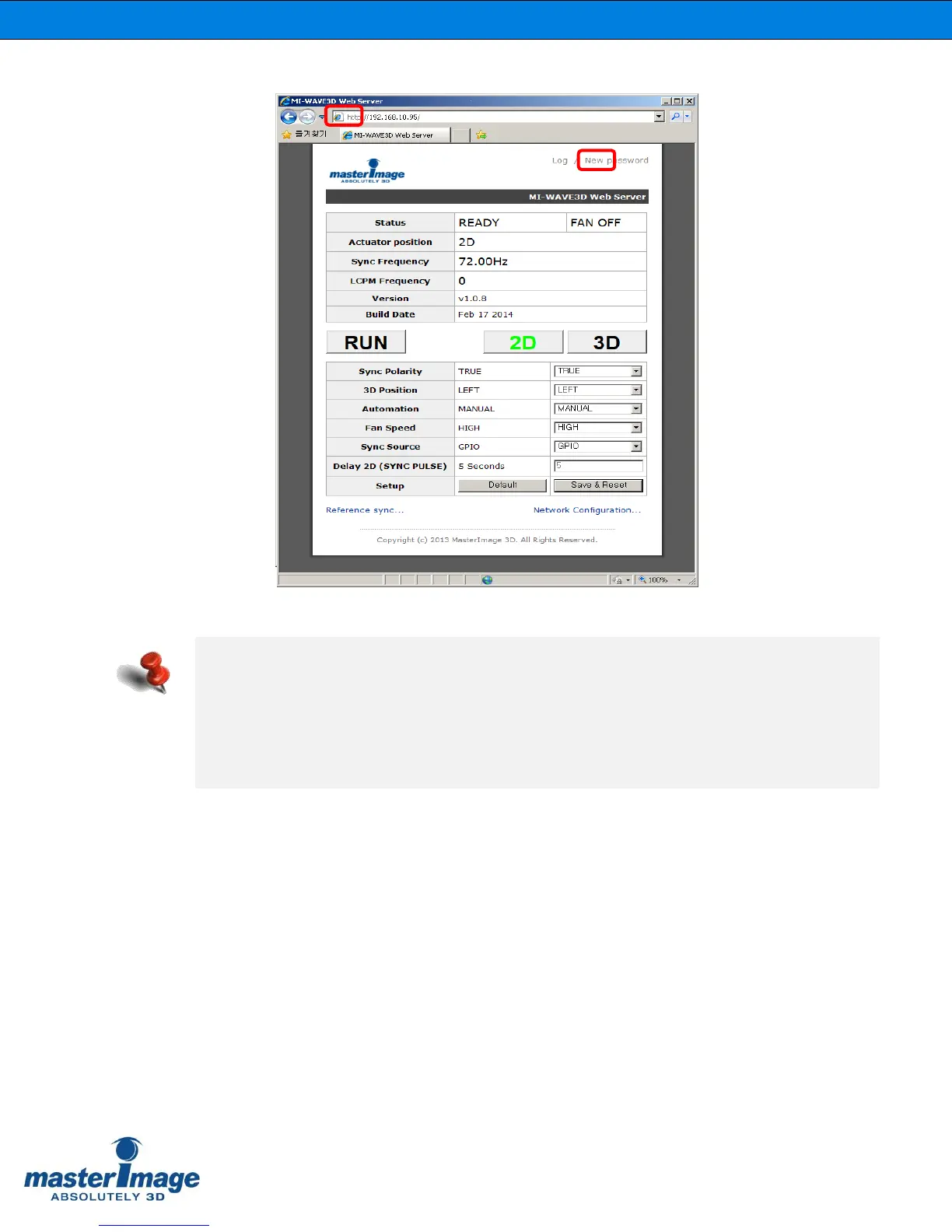
Click the [New Password] link in the upper right corner of the MI-WAVE3D Web Server
and the ‘Change Password’ dialog box will be displayed.
MI-WAVE3D Web Server shows all the system status information.
- Status: Ready or Running
- Fan: Off or On
- Actuator Position: 2D or 3D
- Sync Frequency: Sync frequency from the Projector
- LCPM Frequency: Operating Sync frequency from the LCPM
- Version & Build Date: Built date and Firmware Version No.



 To Next Page