Installation & Operation Manual | MI-WAVE3D
9.3. System Setup Using the Monitor Application
9.3.1. Initial Configuration
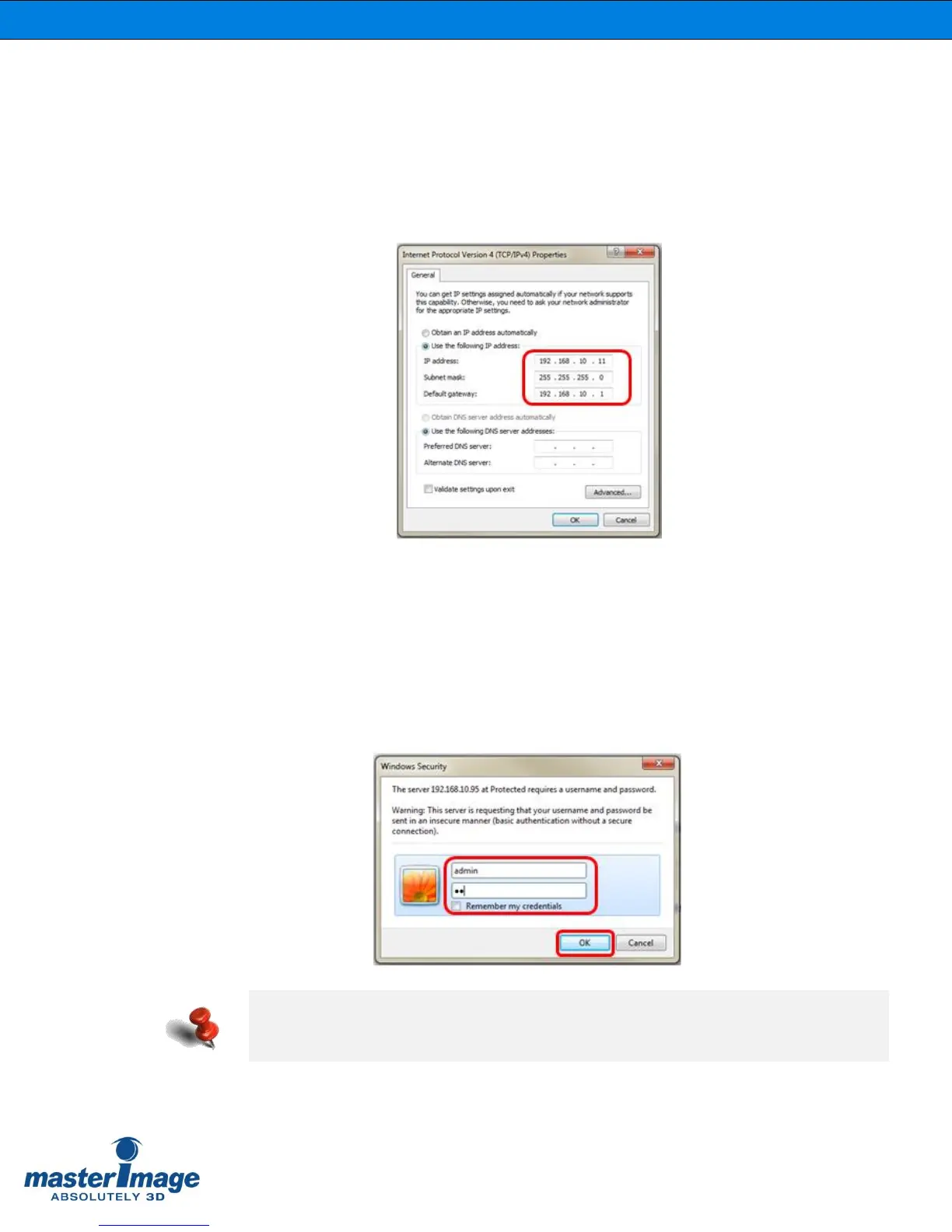
Connect your PC to the MI-WAVE3D with an Ethernet cable and configure your network
settings with Control Panel of Microsoft Windows.
You can use a different IP address that is suitable to your network
9.3.2. Execute the Monitor Application using a Web
Browser
Input the default IP address of the MI-WAVE3D (192.168.10.95) into your web browser.
When attempting to connect a security window will be displayed, enter the user ID and
password information and select OK.
Once access is gained the MI-WAVE3D Web Server will be displayed.
The default user id and password is like as below:
• User ID: “admin”
• Password: “mi”



 To Next Page