Installation & Operation Manual | MI-WAVE3D
9.3.14. Fan Speed via the Monitor Application
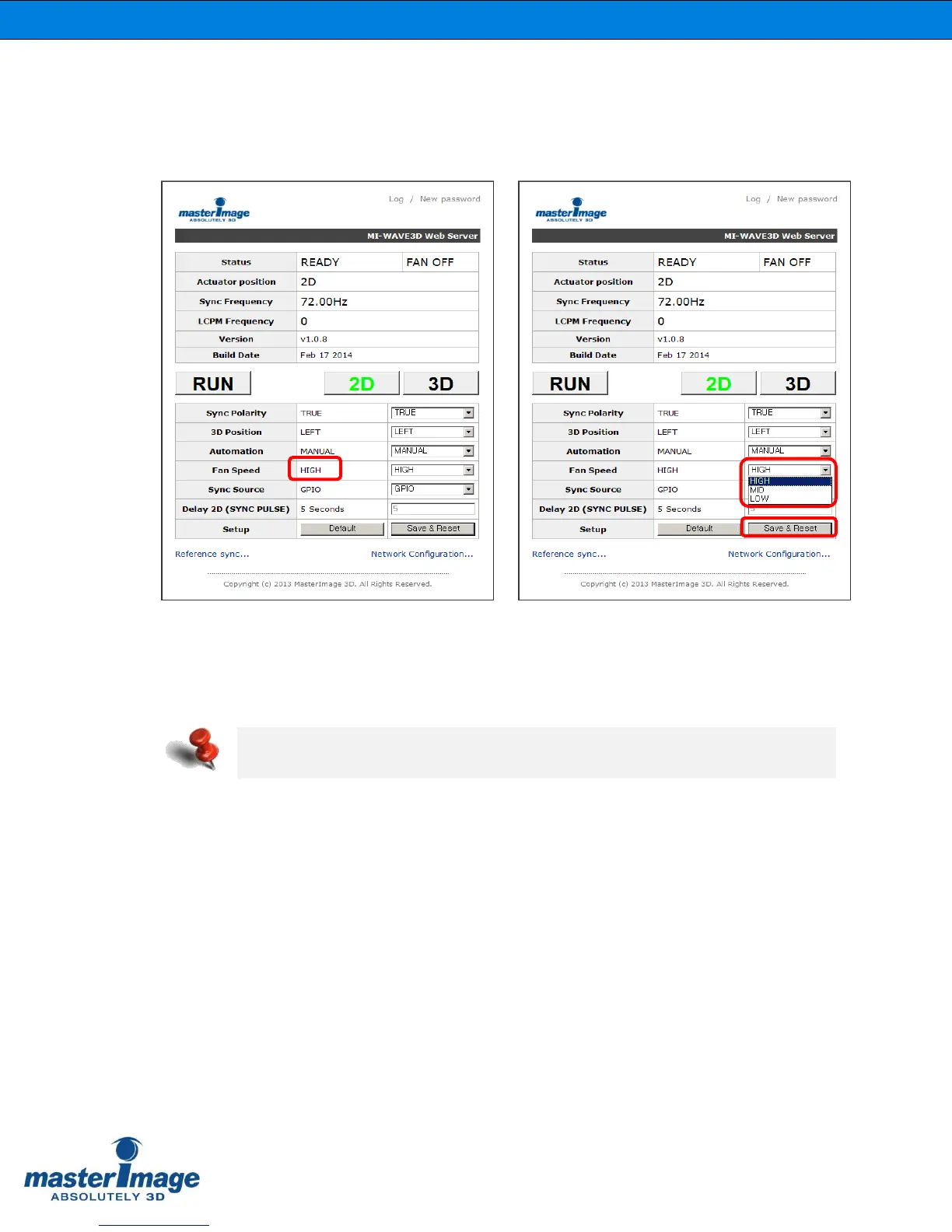
Check the current setting for the Fan Speed. The default is HIGH.
You can reduce the noise of the cooling fans by adjusting the fan speed.
The speed can be changed to either [MID] or [LOW] accordingly.
Click [Save & Reset] to accept any changes.
Note: The cooling fans have to maintain an adequate speed to ensure the LCPM
temperature is kept below 40˚C (100˚F).



 To Next Page