Installation & Operation Manual | MI-WAVE3D
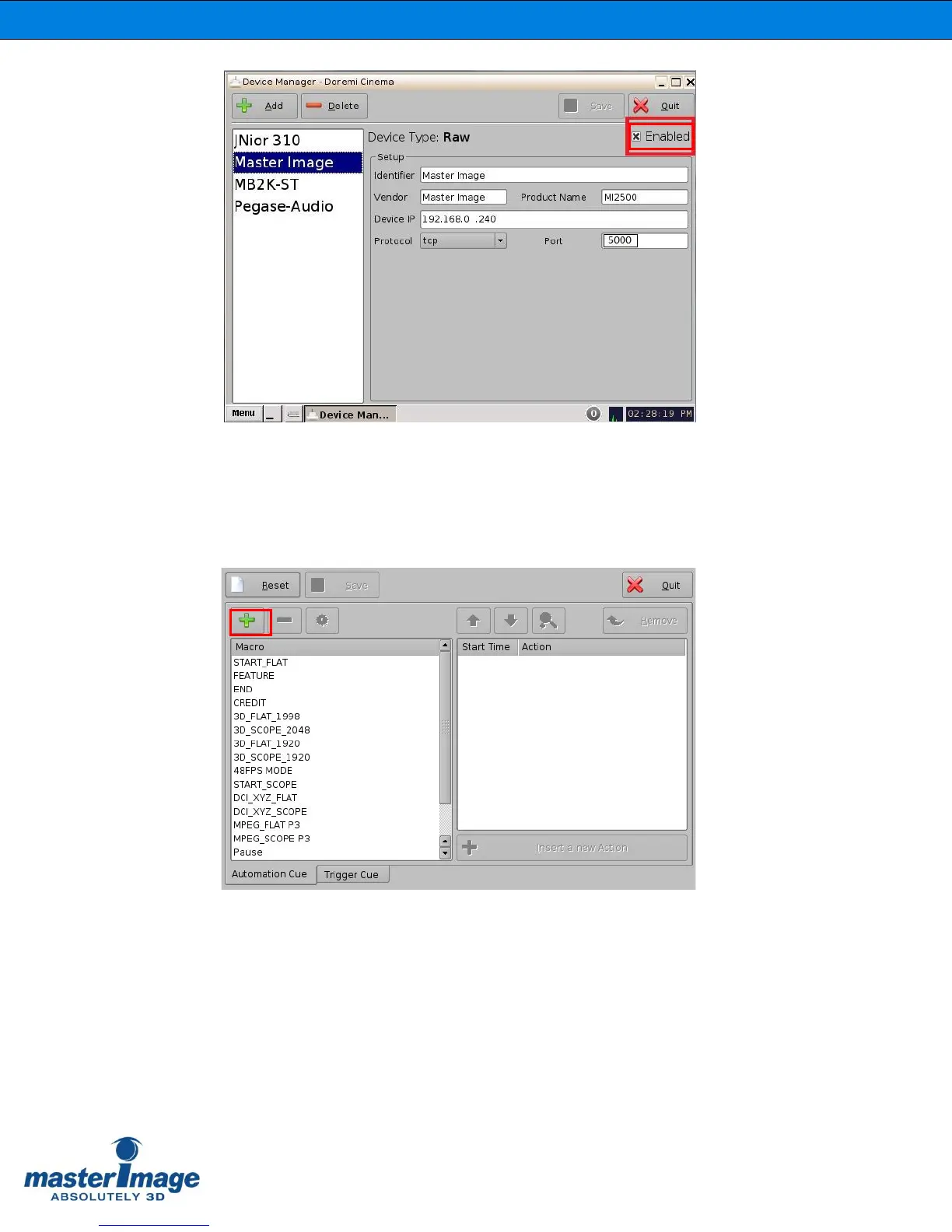
The MI-WAVE3D has now been successfully added into the server configuration.
It is now possible to create the macro files to enable the server to control the
MI-WAVE3D. The files required are: MasterImage Start, MasterImage Stop,
MasterImage 2D, MasterImage 3D and MasterImage Up/Down Stop. These are
created in the Macro Editor option of the server menu. (Menu > DTS Digital Cinema
> Macro Editor)
1. Within the Automation Cue tab click the + button to start a new macro. Replace
the default Test_Macro text with the label for one of the MI macros (for example,
MI Start).



 To Next Page