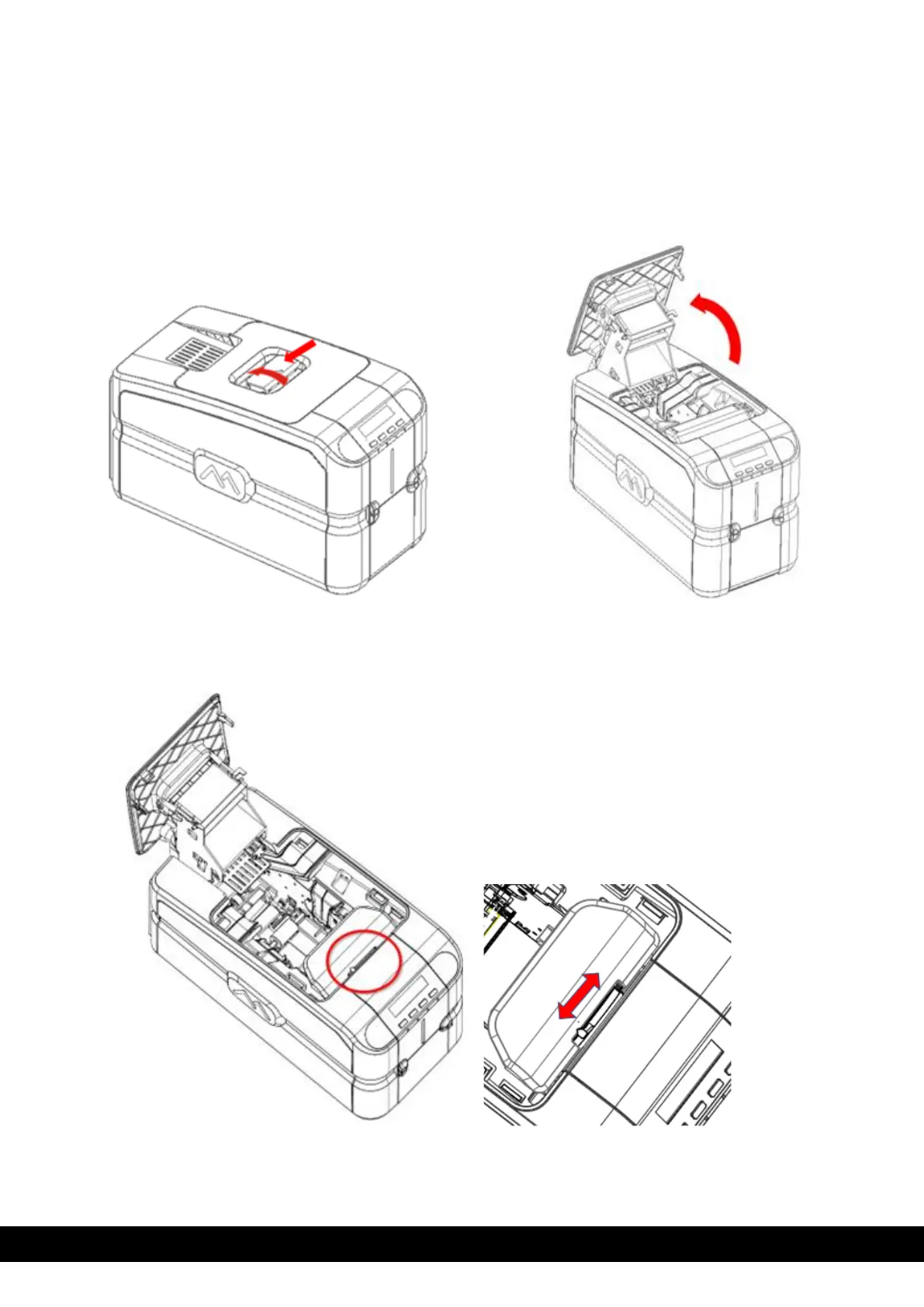
4.5 Adjusting the card thickness
The card thickness can be adjusted by sliding the selection knob (A label is attached on the encoder cover
to guide the selection knob) to the required thickness.
Cards with thicknesses ranging between 0.25 mm and 1.25 mm (10 - 50 mil) can be processed by the
printer. Proceed as follows to adjust the card thickness:
1) Open the top cover as per the instructions below.
2)
Slide the card thickness selection knob to match the card thickness.
3)
Close the top cover.



 To Next Page