5.1.4 Static IP
Follow the below steps to set a static IP address.
1. Ensure the driver is installed using USB connection. Switch printer on & connect to the USB port.
2. Connect the LAN, USB and switch OFF & ON the printer. Ensure the PC/ Laptop is also connected to same LAN
connection.
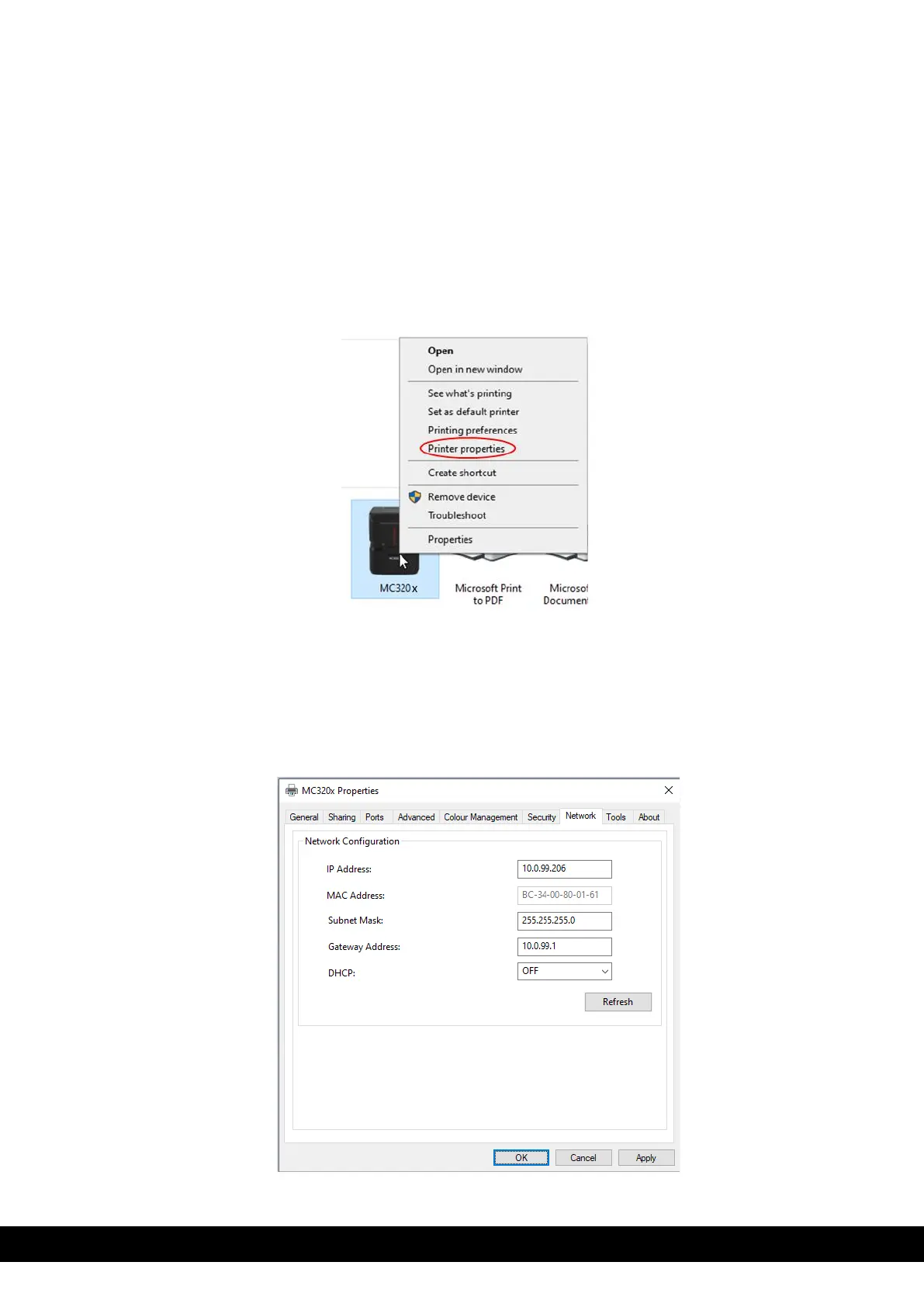
3. Go to devices & printers and right click on MC320x printer icon. Select printer properties from the drop-
down menu.
4. Open the MC320x printer properties and click the network tab.
5. Take note of the IP address & set DCHP to OFF. Click ‘Apply’ & then ‘OK’.
Note: If the user needs to change the IP address, then set the DCHP to OFF and change the IP &
gateway address. Click ‘Apply’ & then ‘OK’.



 To Next Page