6.1.4 Card back
6.1.5 Mag encoding settings mag encoding tools
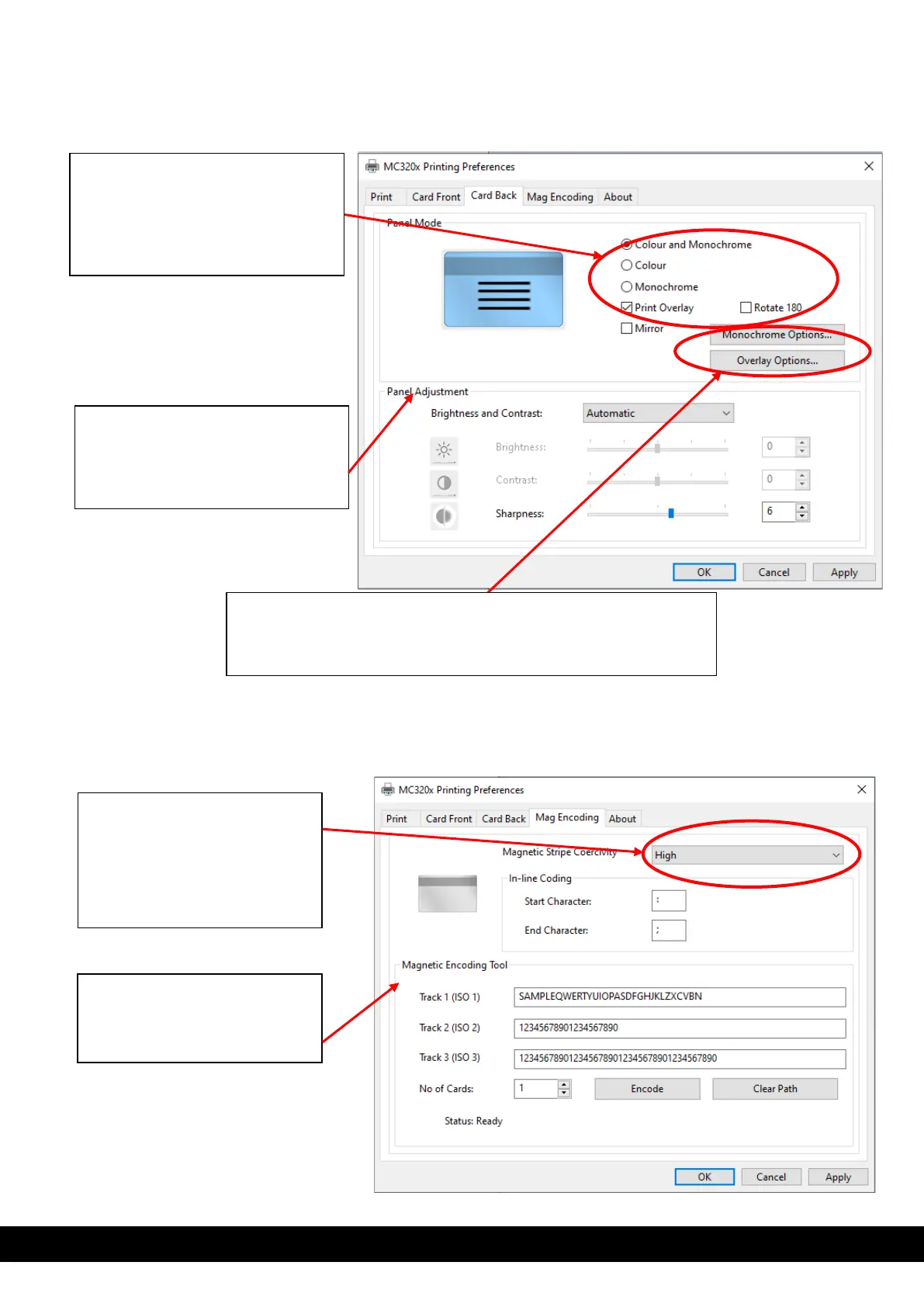
Panel mode setting: based on the
type of ribbon fitted inside the
printer, the user can choose which
type of panel will be printed on the
back of the card. i.e., Monochrome
& overlay.
Panel adjustment: The user can
manually adjust the brightness,
contrast and sharpness based on
the print image requirement.
Monochrome option: This option allows the user to adjust the
contrast and the half tone of the monochrome panel.
Overlay option: This option allows the user to adjust the contrast of
the overlay panel and the area in which the overlay will be printed.
Magnetic stripe coercivity
setting: Based on the type of
magnetic stripe card coercivity,
the user must select the correct
coercivity from the drop down
menu.
Magnetic encoding tools : The
user can use this standalone
tool to encode magnetic striped
cards.



 To Next Page