4 Installation procedures
4.1 Installing the ribbon
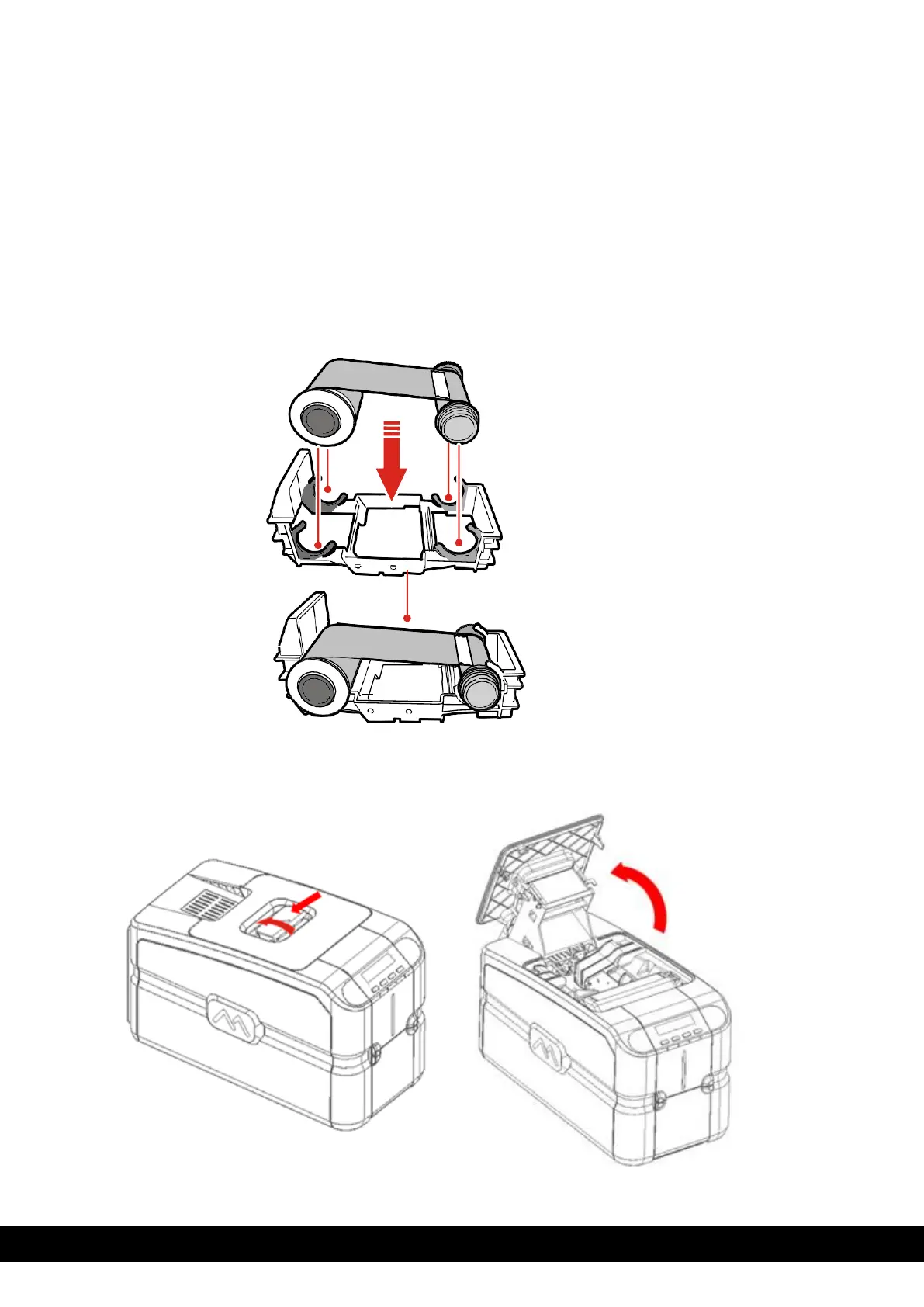
Original Matica ribbons are to be installed carefully. The ribbon carrier that comes with the printer helps to
install the ribbon quickly, easily, and accurately. Once the ribbon is in its carrier, the carrier can then be easily
dropped into the printer using the red and grey guides.
1) Insert the ribbon (not provided with the printer)
into the ribbon carrier by inserting the red reel to
FRONT side and grey reel to the REAR.
3)
Move the handle in the direction shown to open the top cover.



 To Next Page