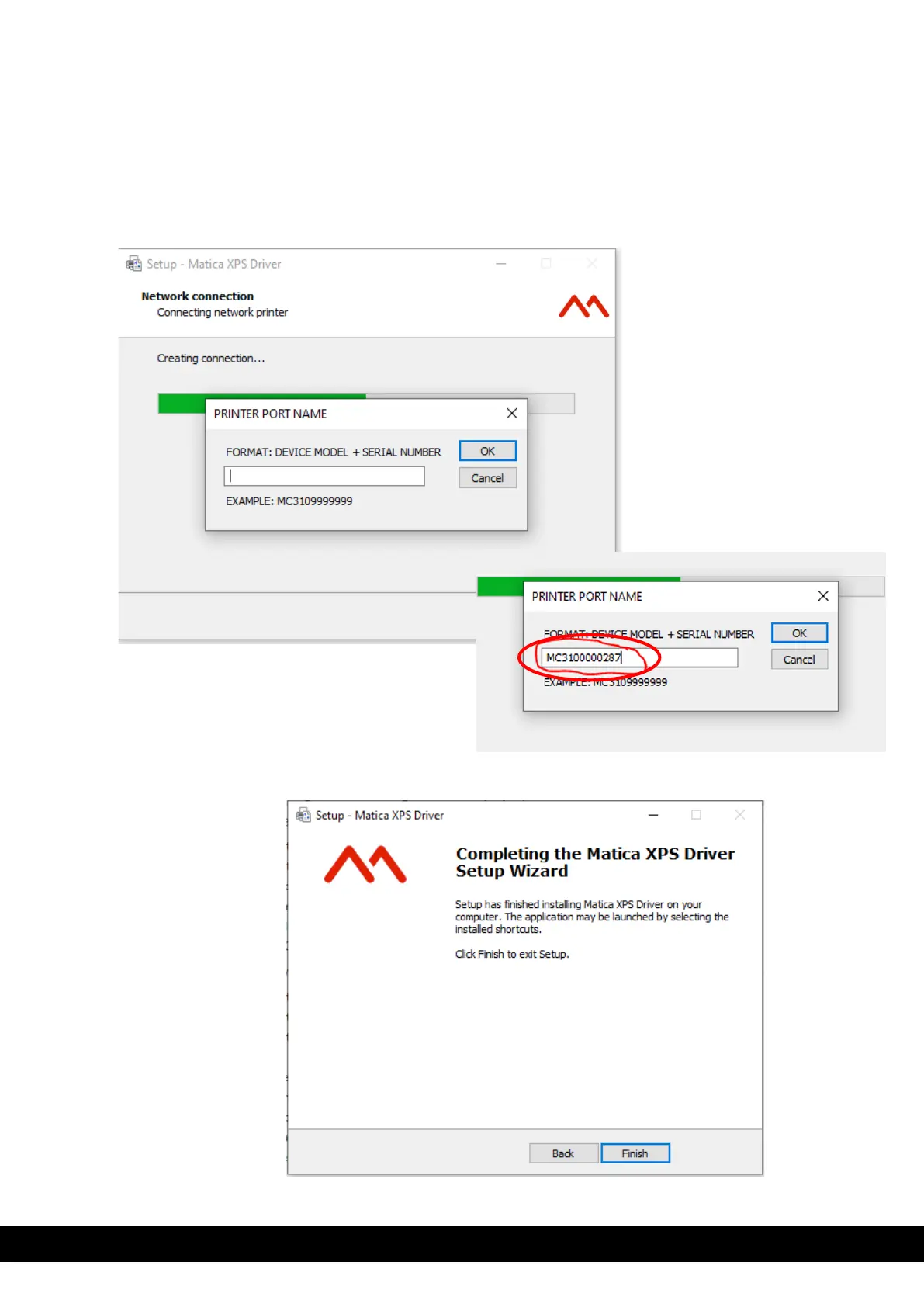
13) Connect the printer using the DCP option, the below dialog box will then appear. It allows the user to add the printer
port name as the guideline provided i.e., Model name + 7-digit serial number
An example shown below,
If printer Model name is MC320x, then format is MC320x +Serial number of the printer, i.e.MC320x9999999
Below snapshot for example.
.
14) Click ‘Finish’ to complete the Matica XPS driver setup.



 To Next Page