Black plate (352,1)
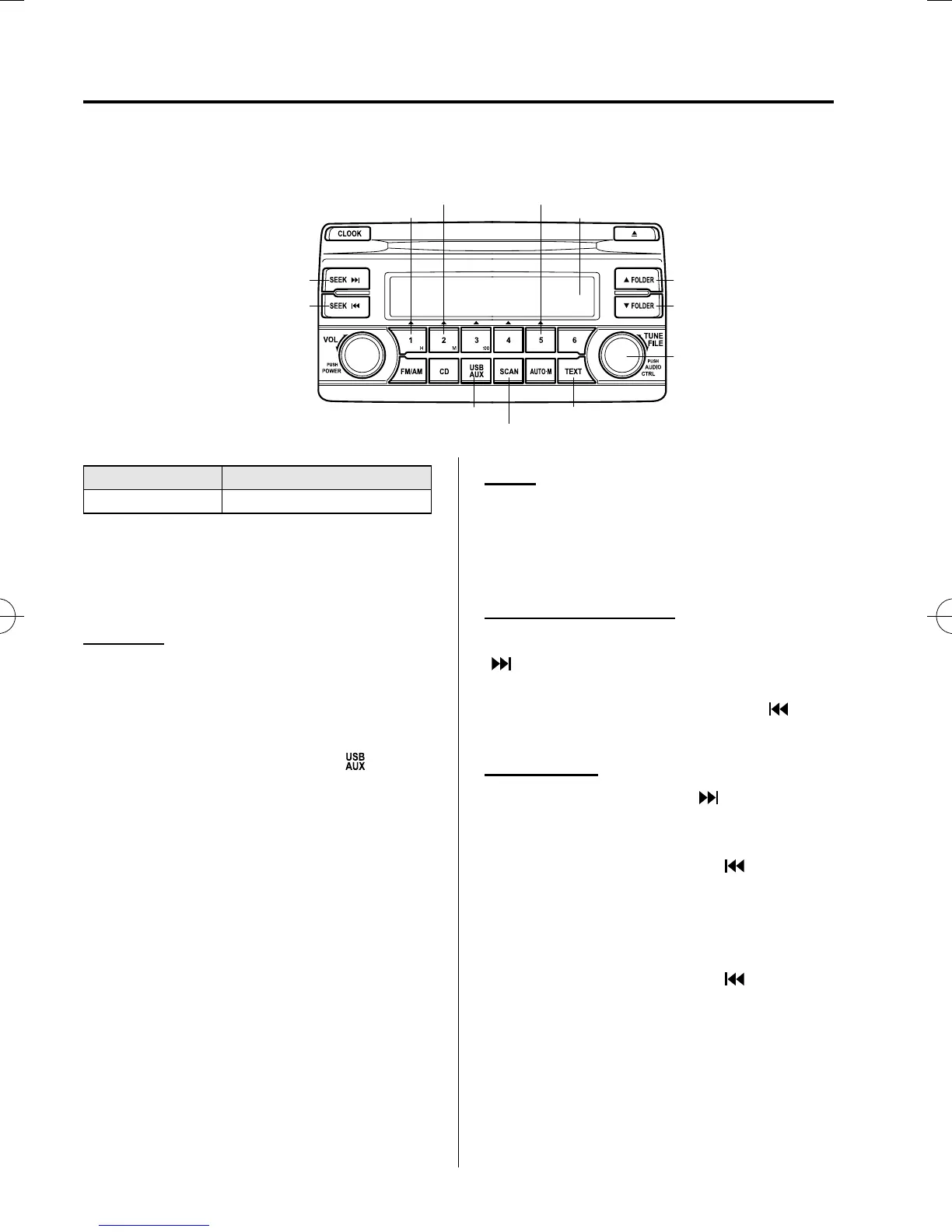
qHow to use USB mode (Type A)
USB/AUX button
Scan button
Text button
Track down/Reverse button
Track up/Fast-forward button
File dial
Folder up button
Folder down button
Audio display
Random button Play/Pause button
Repeat button
Type Playable data
USB mode MP3/WMA/AAC file
This unit does not support a USB 3.0
device. In addition, other devices may not
be supported depending on the model or
OS version.
Playback
1. Switch the ignition to ACC or ON.
2. Press the power/volume dial to turn the
audio system on.
3. Press the USB/AUX button (
)to
switch to the USB mode and start
playback.
NOTE
l
Some devices such as smart phones may
require a setting change to allow operation
using a USB connection.
l
When the USB device is not connected, the
mode does not switch to USB mode.
l
When there is no playable data in the USB
device, “NO CONTENTS” is flashed.
l
Playback of the USB device is in the order
of the folder numbers. Folders which have
no MP3/WMA/AAC files are skipped.
l
Do not remove the USB device while in the
USB mode. The data may be damaged.
Pause
To stop playba ck, press the play/p ause
button (5).
Press the button again to resume
playback.
Fast-forward/Reverse
Press and hold the fast-forward button
(
) to advance through a track at high
speed.
Press and hold the reverse button (
)to
reverse through a track at high speed.
Track search
Press the track up button (
) or turn the
file dial clockwise once to skip forward to
the beginning of the next track.
Press the track down button (
) or turn
the file dial counterclockwise within a few
seconds after playback begins to track
down to the beginning of the previous
track.
Press the track down button (
) or turn
the file dial counterclockwise after a few
seconds have elapsed to star t playback
from the beginning of the current track.
5-56
Interior Features
Audio System
CX-5_8DV2-EA-14K_Edition5 Page352
Tuesday, November 24 2015 8:49 AM
Form No.8DV2-EA-14K



 To Next Page