9
How to add external receiver
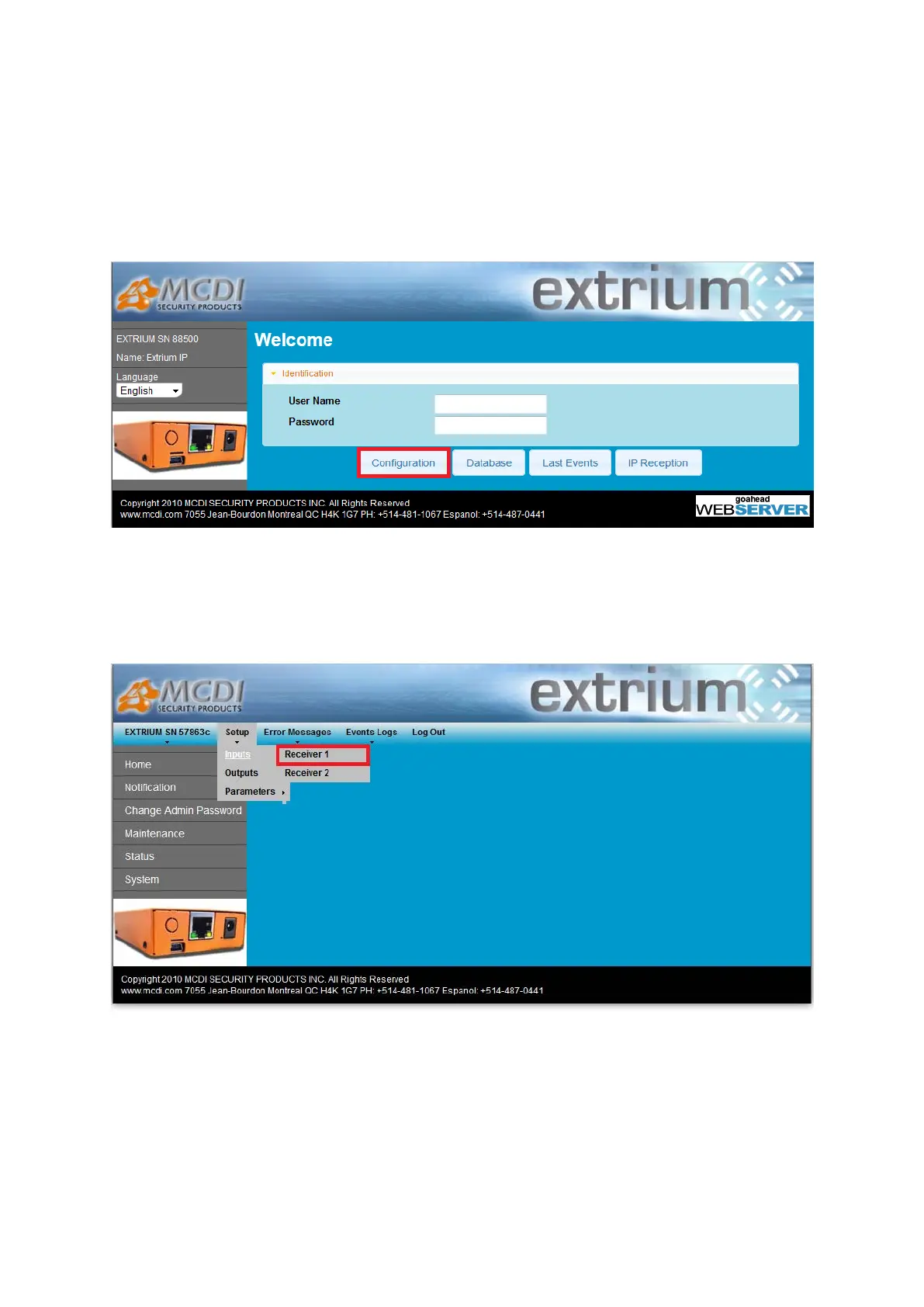
First step: log into the Extrium DT42 web server, and enter your login details.
Then, click on the “configuration” button:
Configuration button
A new page should open.
Here, you have to go click on the menu “Setup -> Inputs ->
Receiver 1”:
Receiver 1 settings menu
This will open the receiver 1 settings page.
Configuration is pretty simple.
First, choose the input receiver type:


 To Next Page