7
Restart/reboot Extrium DT42
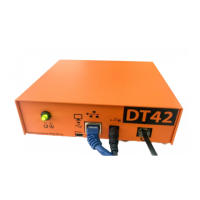
If you need to restart the Extrium DT42, use the reset button located at the back of the unit. Pressing reset
button will reboot the unit properly. During reboot, the reset button led should blink. The operation can
take from 1 to 5 minutes. If you have any trouble, you can force power off by pressing the reset button
during 8 seconds.
How to access settings
Default IP addresses
By default, the Extrium DT42 will try to acquire an IP address from DHCP server.
If you don’t have DHCP server, or if it fails to obtain an IP address Extrium DT42 will use address
192.168.1.215.
Default login
The default login in Extrium DT42 is:
Login name: admin
Password: admin
Retrieve the current IP address
If you don’t know the current IP address of your Extrium DT42, you can retrieve the IP address from your
router DHCP table.
You can find your unit MAC address on a sticker on the unit case.
Log into the embedded web configuration tools
Extrium DT42 uses an embedded web server to configure and manage all the settings and the account
database.
The web server is powered by goahead web server.
To use it, you need to use a third party web client with support of javascript (see supported web client
below).
Go to you web client address bar, and then type the Extrium DT42 main IP address and press “enter”.
Web client address bar
If you typed the correct IP address, and if your web client Javascript is enabled, then you should
see the login page.
On this page, you have access to different information and possibilities:


 To Next Page