33
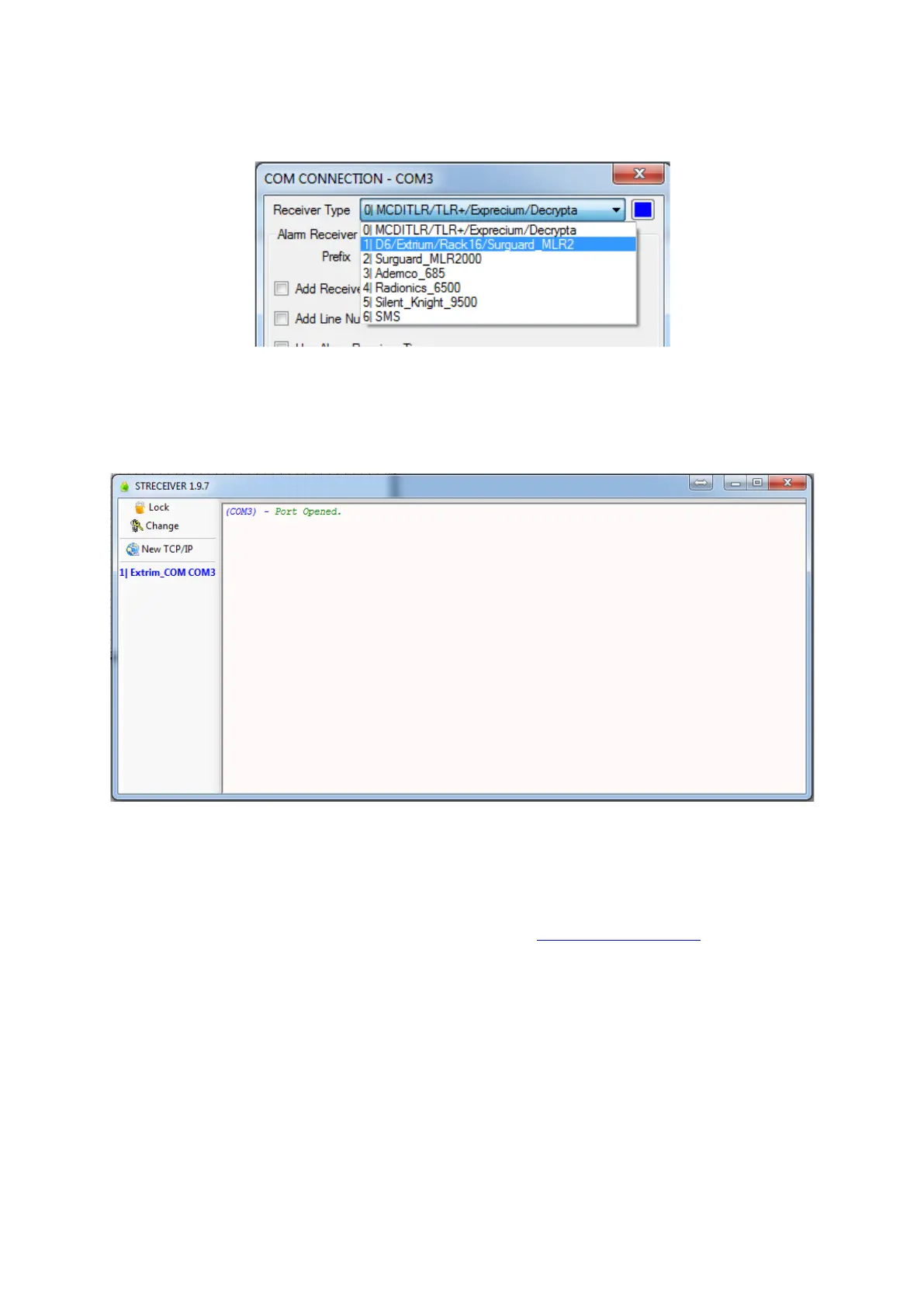
Configure the receiver type with “1|D6/Extrium/Rack16/Surgard MLR2”
ST Receiver Receiver type
If you are using USB, you can use any baud rate.
Valid port configuration by pressing the “Open Port” button.
Port is now open.
COM port opened
How to connect ST Receiver with Extrium DT42 by IP
ST Receiver is a part of Securithor monitoring software (http://www.securithor.com/).
ST Receiver is the alarms reception module of Securithor: it sends alarms from multiple receivers to the
Securithor database.
Follows these few steps in order to connect your Extrium DT42 with ST Receiver by IP.
First, plug your Extrium DT42 to the same local network than your computer with ST Receiver installed on
it.
Start ST Receiver, connect it to your database, and unlock it.


 To Next Page