3
Installation guide
The purpose of this document is to provide a quick start guide for Extrium DT42, by providing answers of
basic installation and operation of the product.
If you don’t find the information you need about the Extrium DT42 in this guide, then you should read the
Extrium DT42 complete user guide.
Package content
Before starting, you should verify your package content.
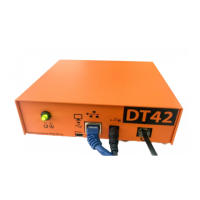
Extrium DT42 is shipped with the following content:
Power Supply:
Connect only MCDI approved power supply to main power input. Output: 5V AC, 1.2A.
USB to Serial Cable:
Extrium DT42 is supplied with a USB to serial cable. Use Null Modem cable to connect external receiver.
Connect it in the USB type A on the Extrium DT42.
Serial Cable (NULL MODEM):
Extrium DT42 is supplied with a Null Modem serial cable
USB cable:
Extrium DT42 is supplied with 2M USB type A to mini-B cable. Connect in Extrium DT42 mini-B type port
while other end is connected to USB hub or PC type A port.
Ethernet cables:
Extrium DT42 is supplied with an Ethernet cable. If needed a longer cable, always use good quality cat 5
wiring with proper wiring arrangement.
Micro-SD Card:
Extrium DT42 is supplied with a micro-SD card. This SD Card SHOULD NOT BE REMOVED WHEN SYSTEM
IS UP.
The micro-SD Card is used to store alarm events. Removing it when system is up will cause instability of
the system.
.


 To Next Page