36
How to use android notification application
DT42 Notification server
Access Setings
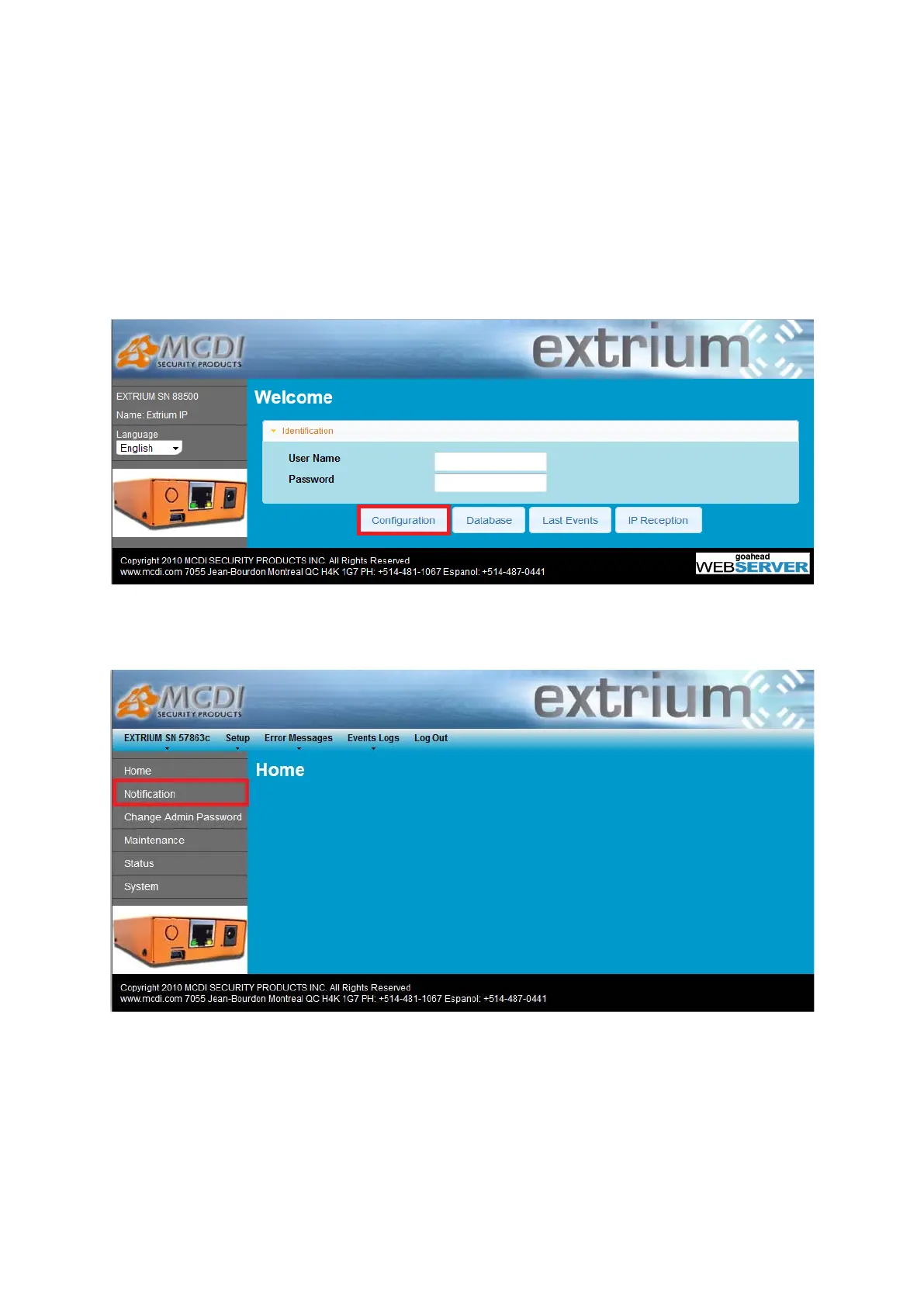
To access notification server settings, log into the Extrium DT42 web server, and enter your login details.
Then, click on the “configuration” button:
Configuration button
A new page should open.
Click then on the “Notification” item in the menu to open the notification server management page.
Notifications
DT42 notification server start automatically.
The notification page display the actual status of the server
You can change the listening port for incoming connection to fit your needs.
Be careful and do not use an already used port.


 To Next Page