15
For more details, read “how to use STReceiver with Extrium DT42” or “how to use TCPtoCom with Extrium
DT42” sections.
- IP address: IP address where the alarm will be sent
- Port: IP port
- Password: eventually, not mandatory
Once you’re done, don’t forget to click on the “Save” button.
Add a new server
Server definition
A server is a part of the Extrium program that listens on a TCP or UDP port and waits for incoming
connections.
Every server can listen for one particular protocol on one particular TCP or UDP port.
A server is associated with one, and only one, IP protocol.
You can use several servers in one Extrium (with a limit of 10).
Add Schematics of multi-server here
How to add a server
To add a server in the Extrium system, follow the previous steps to go to the IP reception settings via the
web server.
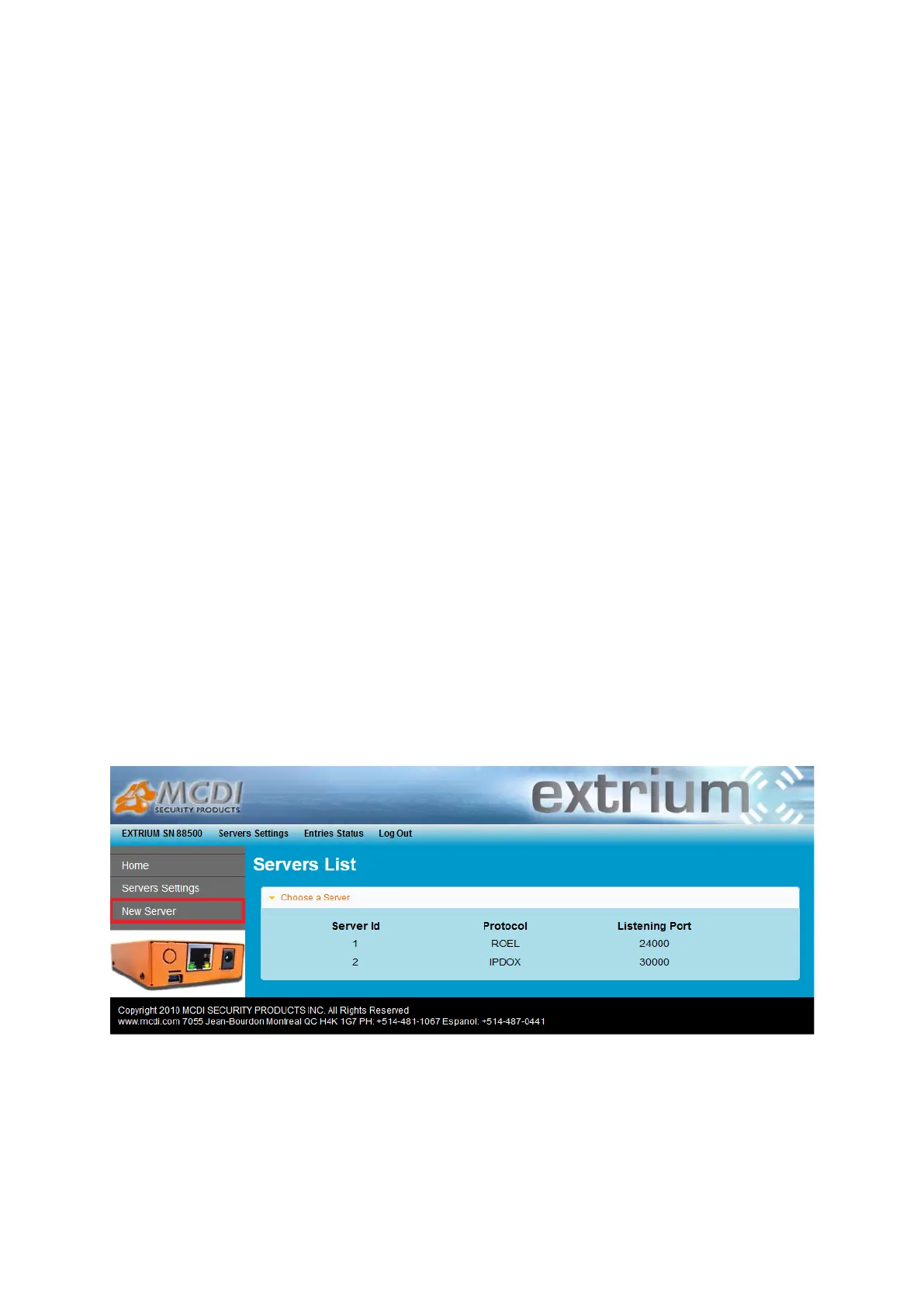
You should now see the server list page.
It contains a list of already running servers if any.
Click “New Server” on the left menu to open the add server page.
Server List
A new page should open. This new page allows you to choose what kind of server you want to add and
open the parameters needed for the protocol you choose.


 To Next Page