
 Need help?
Do you have a question about the MCDI Extrium DT42 and is the answer not in the manual?
Details the items included in the Extrium DT42 package.
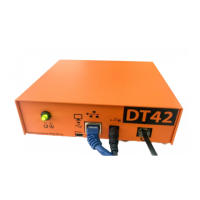
Illustrates and labels the front and rear panel components of the Extrium DT42.
Describes the purpose and usage of Ethernet, Serial, USB, and Micro-SD ports.
Steps for initial installation and starting the Extrium DT42 device.
Provides default IP addresses, login credentials, and web access methods.
Lists the web browsers compatible with the Extrium DT42 interface.
Step-by-step guide to adding an external receiver to the system.
Instructions for configuring the device to send alarms via USB.
Instructions for configuring the device to send alarms via TCP/IP.
Defines servers and provides steps to add them to the Extrium system.
Details the parameters for configuring a ROEL Multicomm server.
Details the parameters for configuring a 3i/Pegasus server.
Details the parameters for configuring a Paradox IPDOX server.
Details the parameters for configuring a SIA-DC09 server.
Steps to view, edit, or delete currently running servers.
Defines IP accounts and how to view the list of registered accounts.
Procedures for searching, viewing details, and deleting IP accounts.
How to check IP account status and explanation of timeout events.
Guide on using the TCPtoCom software to receive Extrium alarms.
Instructions for connecting ST Receiver to Extrium DT42 using a USB connection.
Instructions for connecting ST Receiver to Extrium DT42 using an IP connection.
Steps to access and configure the DT42 notification server settings.
Guide to adding new users for the notification feature.
Details on managing user accounts, including editing and deletion.
Instructions for installing the Extrium Notification Receiver app on an Android device.
Details the main settings available within the Android notification application.
How to verify the connection status of the app to the Extrium device.
Displays the list of received alarms with timestamps and codes.
 General
| Category | Security System |
|---|---|
| Channels | 4 |
| Compression | H.264 |
| Operating System | Embedded Linux |
| Weight | 1.5 kg |
| Type | DVR |
| Resolution | 720p |
| Network Interface | Ethernet |
| Power Supply | 12V DC |

 To Next Page