16
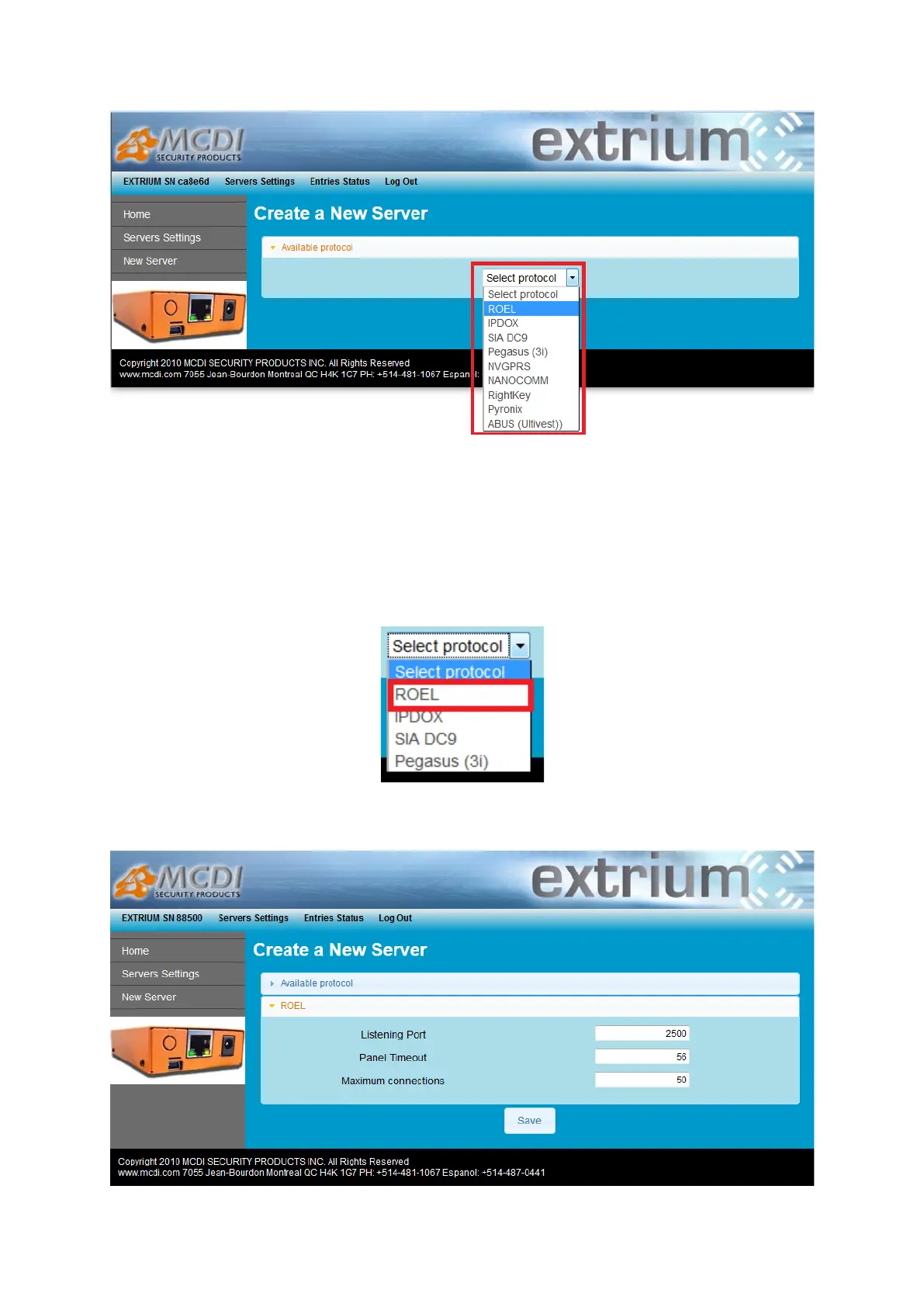
New server selection
Depending on which protocol you choose to use, there are different settings to provide.
Following sections detail all parameters and settings needed by each protocol.
ROEL Multicomm server parameters details
To add a new ROEL Multicomm server, follow the steps described on the previous section “How to add a
server”, and choose “ROEL” in the protocol selector.
ROEL selection
A new page with a list of parameter should appear:


 To Next Page