McHale V Series Baler
70
7.2 Machine specification settings
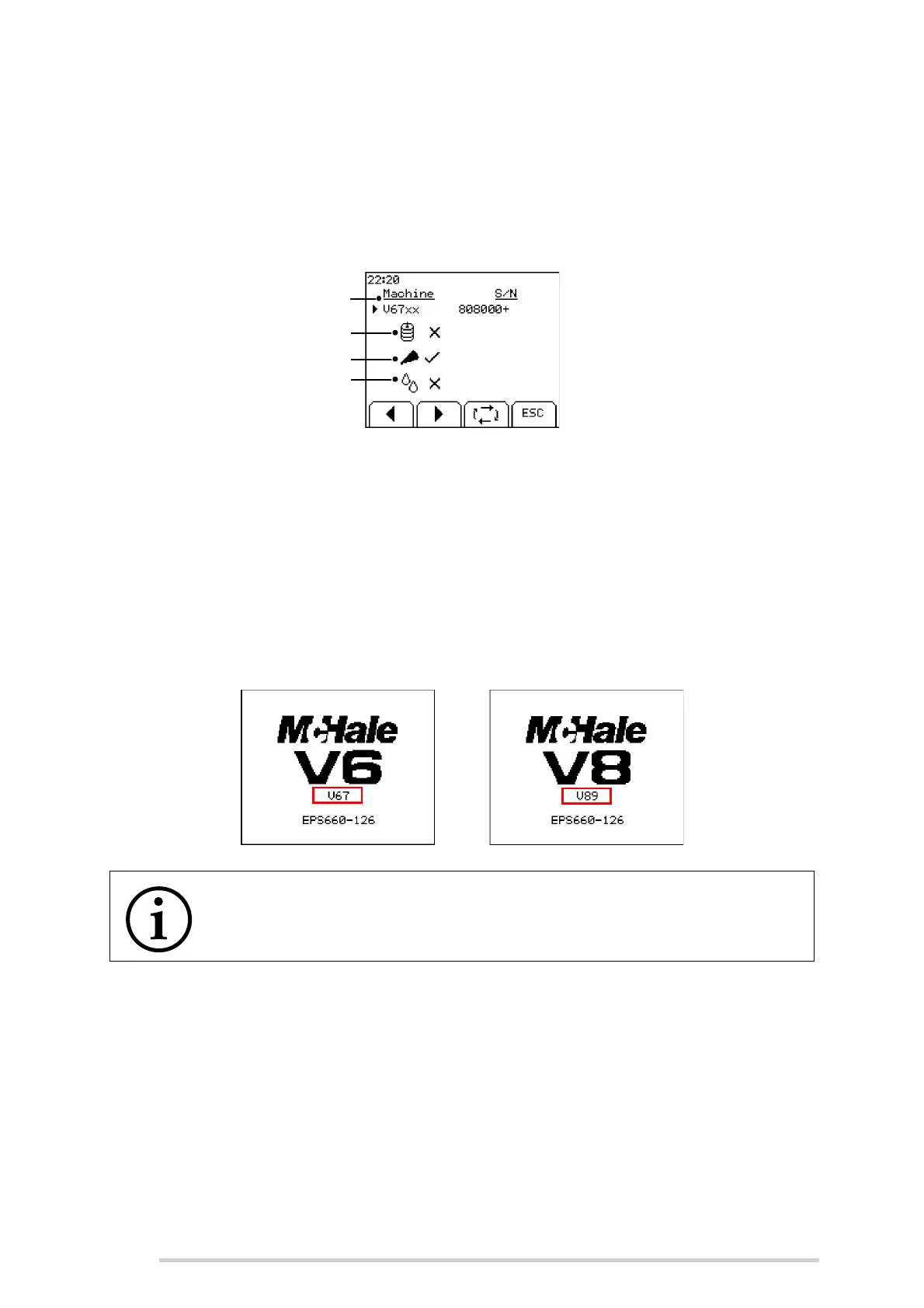
Press and hold the menu button to access Machine specification settings. Select the
correct machine and serial range using the left and right softkeys. Use softkey 3 to
scroll through the settings. Twine, chopping knives and moisture sensor can be
enabled
or disabled
as per the machine specification.
Note 1: If a twiner is detected on the machine then the twine setting will be
automatically enabled. For operators using twine, there is a separate supplementary
twiner manual CLT01169.
Note 2: References to chopper knives are in relation to V6750/ V8950 only.
Note 3: Moisture sensor is for future use.
The machine type selected will be shown on the boot screen. If the incorrect machine
is selected then the baler may not operate as expected.
NOTE: Ensure correct machine is selected
If the incorrect machine is selected then the baler may not operate as
expected.
Machine type and serial no.
Twine
Chopping knives
Moisture sensor



 To Next Page