McHale V Series Baler
93
9.7 Selectable knives (V6750/ V8950 only)
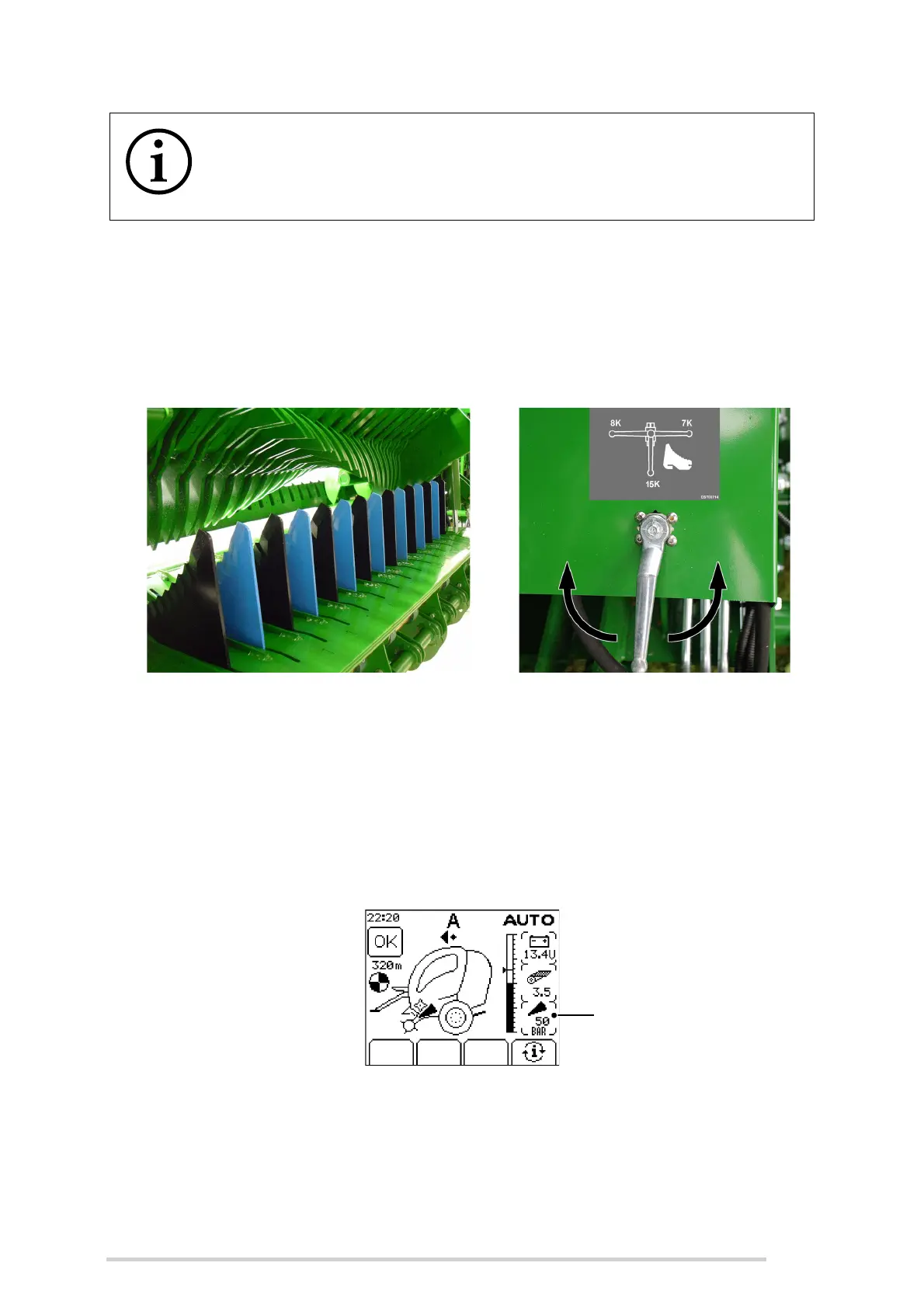
Selectable knives are available as an option on the machine. The operator can select
between 0, 7, 8 or 15 knives (0, 12, 13, or 25 with 25 knife option), by turning the tap
on the right-hand side of the chopper unit. The knives must be fully down, before
selecting the desired set of knives. (See ‘Knife operation (V6750/ V8950 only)’)
9.8 Knife pressure monitoring (V6750/ V8950
only)
The knife position and pressure display, as shown below, is used to indicate whether
the knives are in the ‘up’ or ‘down’ position and the pressure applied to the knife
operating rams. (See ‘Standard knife operation’)
When the knives are being switched on, the pressure will increase to and stop at the
normal working pressure of 35 - 60 bar, which is displayed on the screen. The knife
sensor symbol should also appear on the screen to indicate that the knives are fully
raised into the chopping position. (On machines with the selectable knife option, a
separate indicator is displayed for each set of knives.)
NOTE: Keep the knife slots clear of material
To keep the knife slots clear of material, it is recommended to switch the
knives on and off several times daily. (See ‘Knife operation (V6750/
V8950 only)’)
Selectable knives Selectable knives tap



 To Next Page