McHale V Series Baler
68
7
Electronic control system
(Software version EPS660-126 onwards)
*Functionality in relation to chopper unit knives applies only to models with chopper units!
All the buttons on the control box are numbered 1-15 above and their functions are
listed on the following page.
Buttons 1-4 are multi-function softkeys and can have many different functions with the
current function indicated on the screen directly above by a picture. These four buttons
are also used to navigate through the machine menu and change settings.
Please see the pull-out guide for this electronic control system at the end of this
chapter. This can be removed and laminated to keep in your tractor and familiarise
yourself with the functions of the controller.
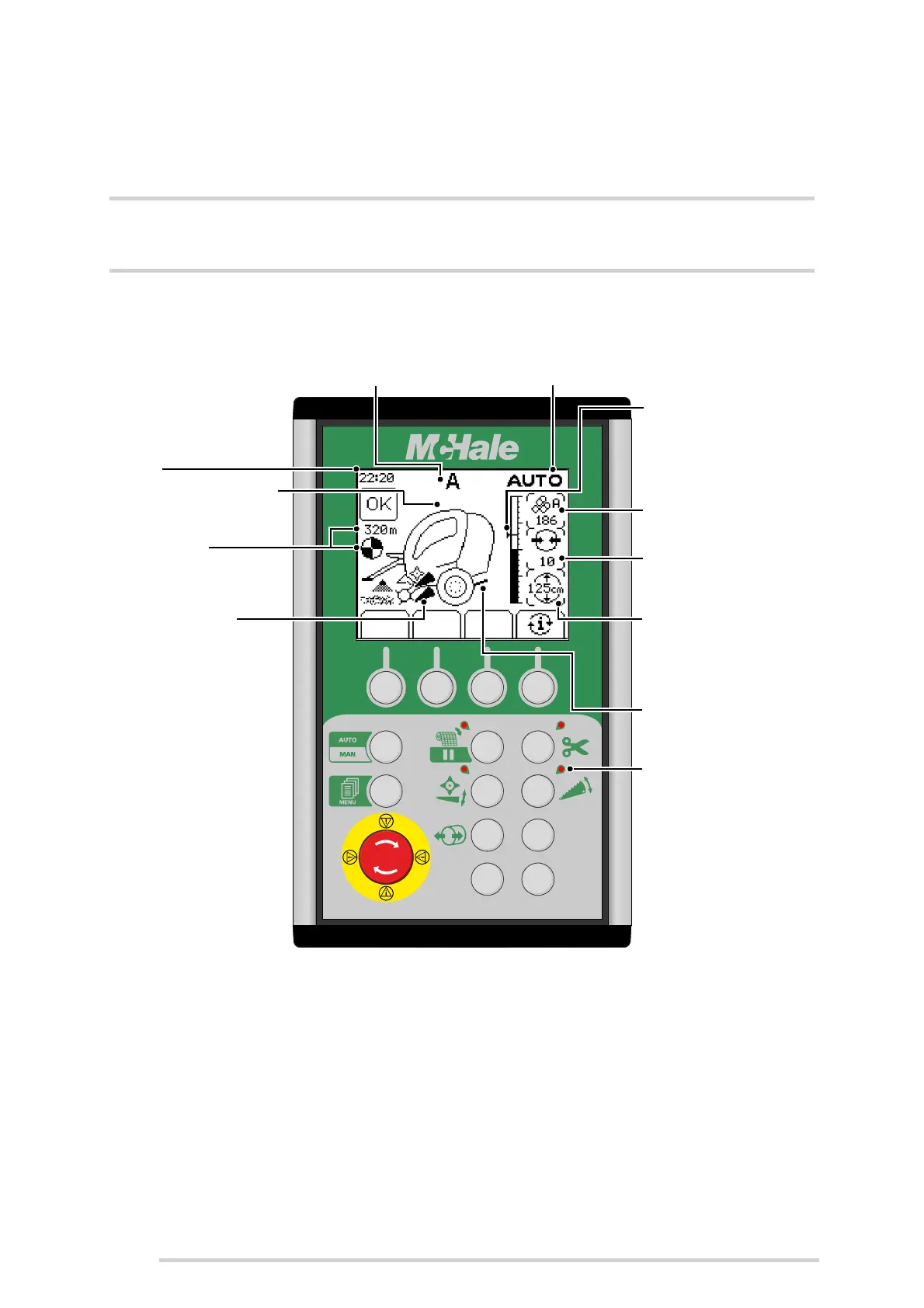
Displays diameter
setting (or knife
pressure*)
Press ‘i’ to toggle (button 4)
Net symbol
Rotates as net is applied & shows
total net used (m). Turns white
when the net knife trips
Clock
Bale shape indicator
Arrows show direction to steer for
optimum bale shape
Kicker movement
displays bale transfer
1234
56
78
910
11 12
13
14
15
Current bale profile
Displays the current bale profile setting, A - E
Displays manual (MAN) or
automatic (AUTO) mode
Knife indicator*
Appears when knives are fully up
Red indicator lights
One beside button 5, 6, 7 & 8
These illuminate to prompt the
operator which button to press next
Displays density
setting or net layers
or net stretch
Press ‘i’ to toggle (button 4)
Bale diameter display
Arrow shows the target diameter
Displays bale total or
voltage or live bale
diameter
Press ‘i’ to toggle (button 4)



 To Next Page