8
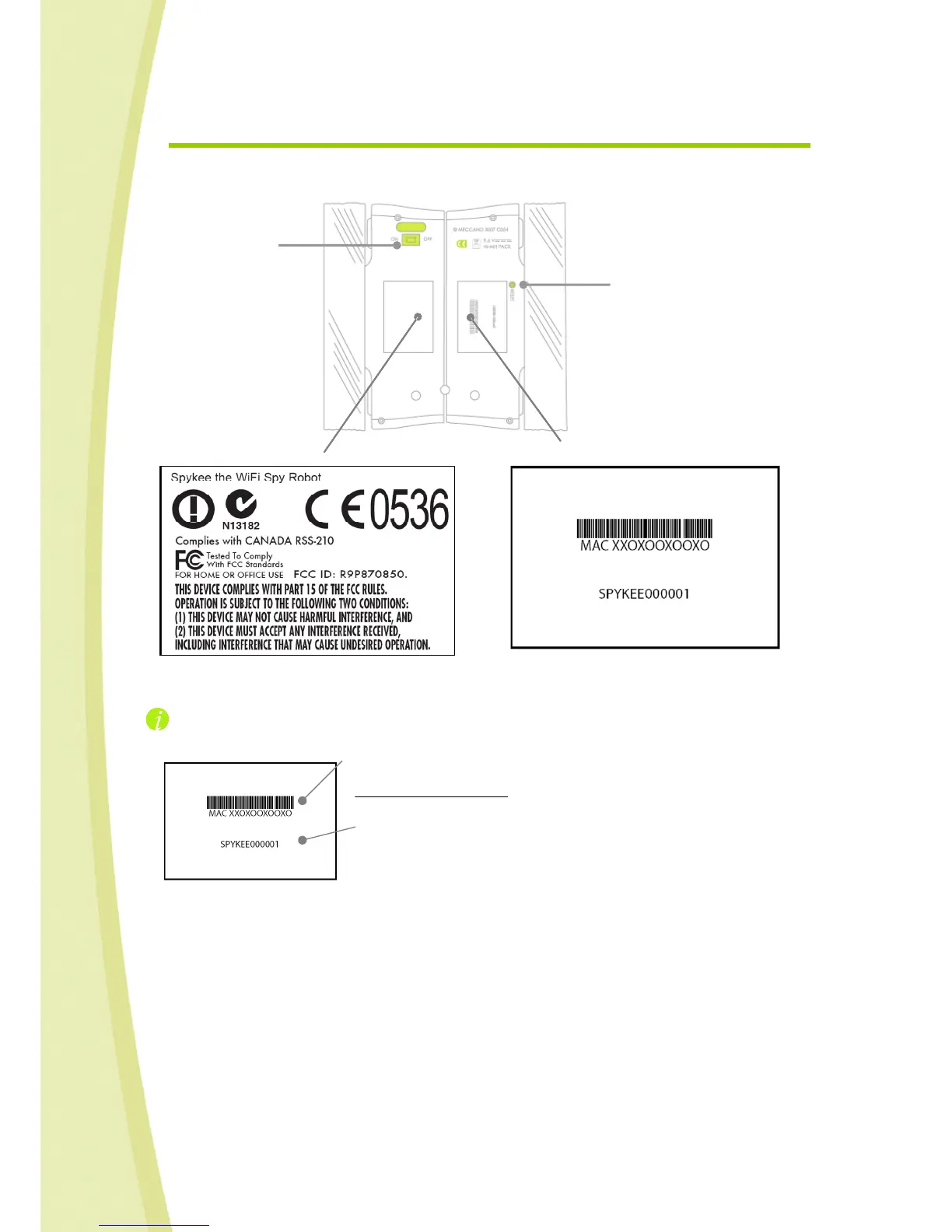
2.3. View of robot from below
ON/OFF button
Reset button
For your information:
The number beginning with “MAC” followed by 12 numbers is the Mac
number of your robot. You will need it when you register your robot on
www.spykeeworld.com.
The number beginning with “SPYKEE” followed by 6 numbers the
default name of its WiFi network (SSID). If you reset your robot after
having changed this WiFi network name, it will reset back to its original
name.
The information on the second sticker corresponds to standards and regulations that the product must
comply with (see previous chapter).


 To Next Page