P3V Veterinary Digital Ultrasonic Diagnostic Imaging System User Manual
- 20 -
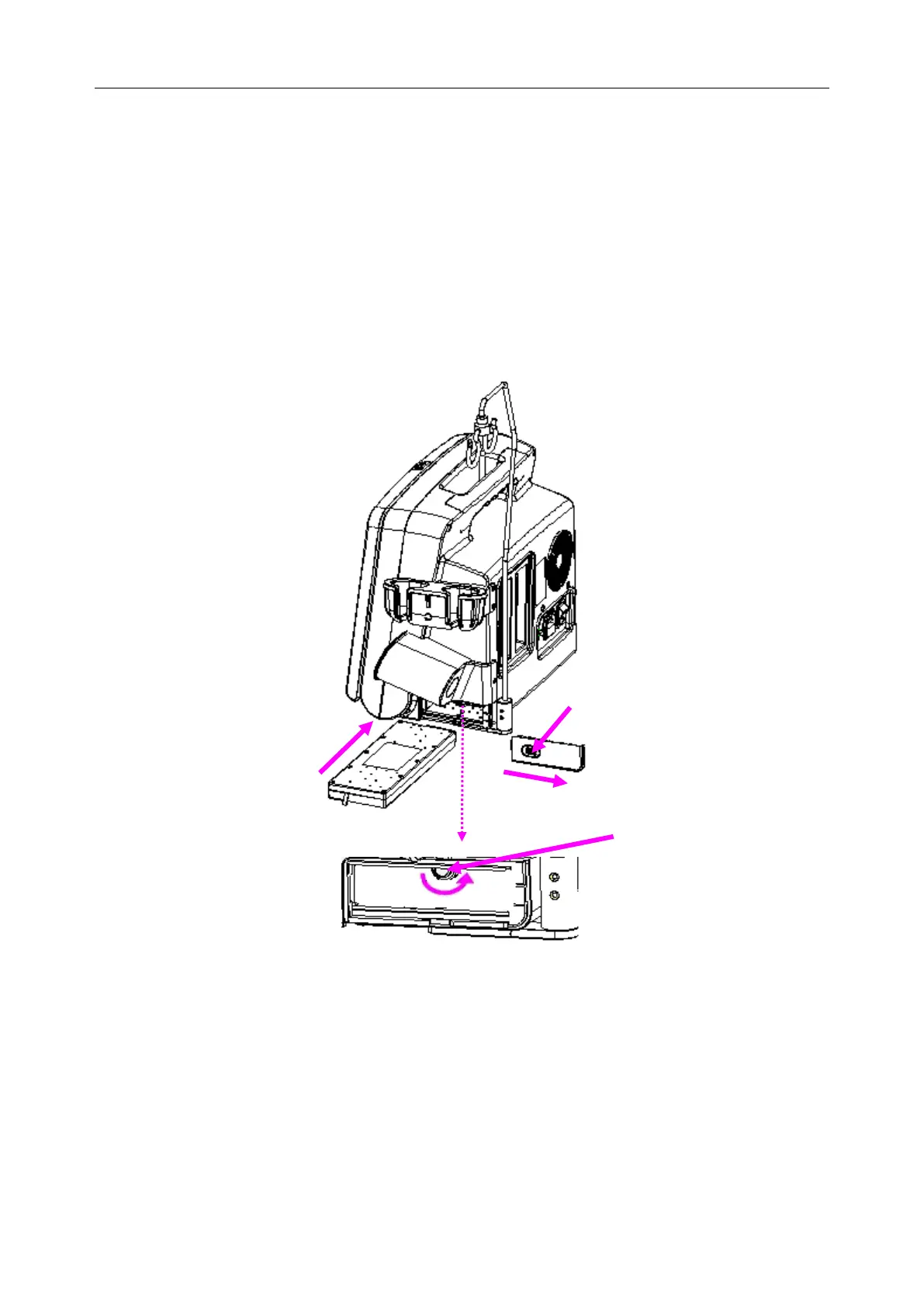
4.3.2. Installing and Uninstalling a Battery
To install a battery (if necessary):
1. Take out the battery from the package.
2. Press the button on the battery cover and pull the cover out.
3. Turn the flicker counterclockwise to hide it and push the battery into place.
4. Turn the flicker clockwise to keep the battery in place.
5. Replace the battery cover.
Figure 4-3 Installing Battery to Main Unit
To uninstall a battery:
1. Press the button on the battery cover and pull the cover out.
2. Pull the flicker counterclockwise to hide it.
3. Pull the battery out.
4. Replace the battery cover.



 To Next Page