P3V Veterinary Digital Ultrasonic Diagnostic Imaging System User Manual
- 84 -
prompt Loading file… is displayed in the middle of the screen.
3. If the file format is FRM/CINE, cine images will be loaded. You can perform Cine review,
measurements, or add comments/body marks and print them out in reports; if the file format
is BMP/JPG/DCM, the system will enter image browsing status: check the multi-choice
checkbox to browse the selected files in file list, uncheck the checkbox to browse all files.
press on the bottom of the screen to open the previous image, and to
open the next image; press to perform automatic browsing, and press to
stop automatic browsing; press or Esc to exit.
4. Press Open without selecting any file will open the first file.
NOTE:
1. Images that have not yet been saved in the saving zone can not be loaded.
2. When saving or loading an image is still in process (prompt instruction Saving file… or
Loading file…), please do not perform any other operation. This is to avoid damaging
the device.
3. You should freeze the system before opening Cine images.
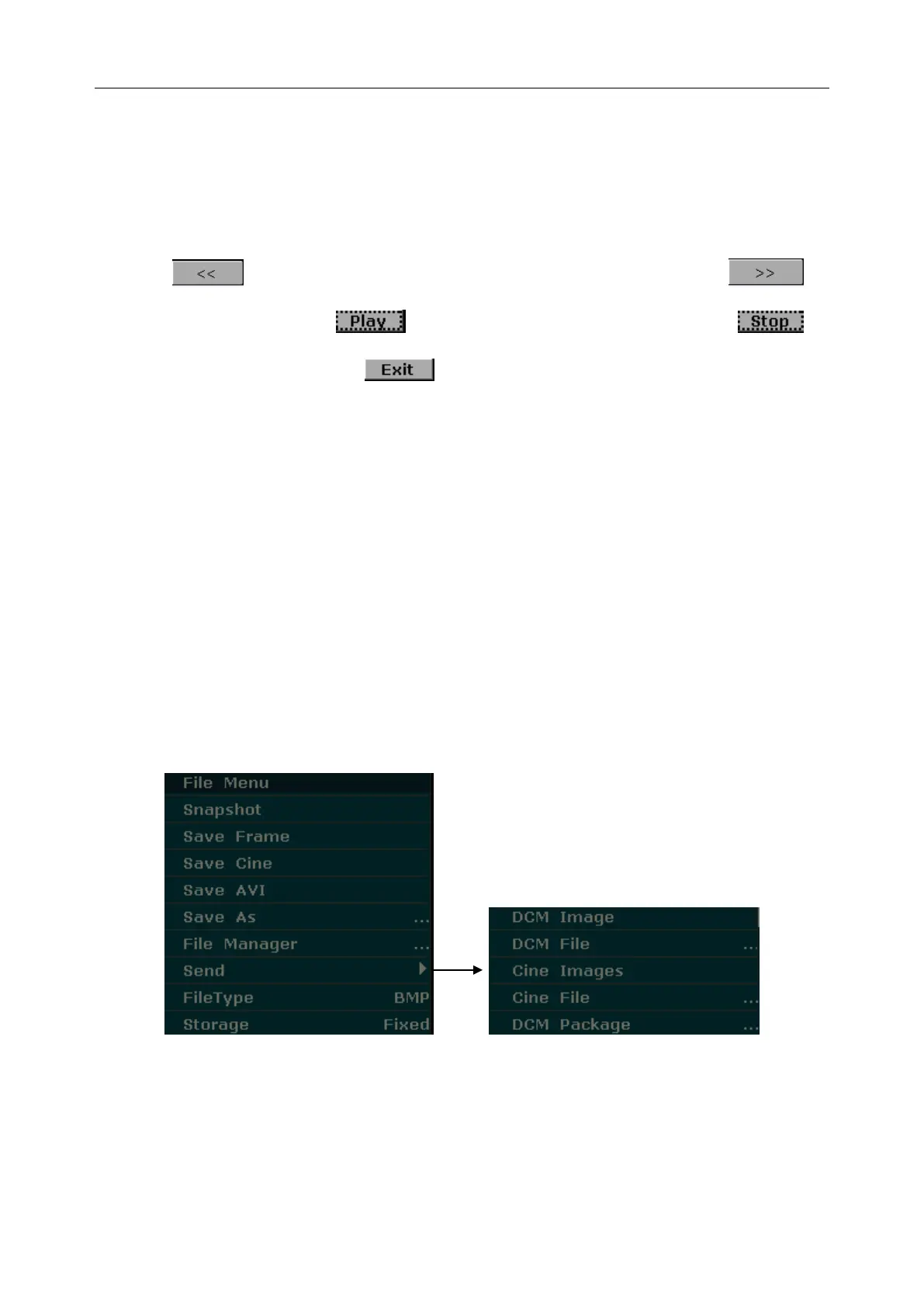
6.8.3. Sending Files
If you have installed the DICOM software, and the DICOM presetting has been performed
correctly, you can send images / files.
Figure 6-26 File Menu (with DICOM Function)



 To Next Page