P3V Veterinary Digital Ultrasonic Diagnostic Imaging System User Manual
- 89 -
Chapter 7 Abdominal Measurements & Calculations
7.1. Measurements and Calculations
The abdominal examination is usually in the B mode.
1. Press Exam, select the exam mode Abd-Small/Abd-Large, and then press Set.
2. Press to enter the B mode.
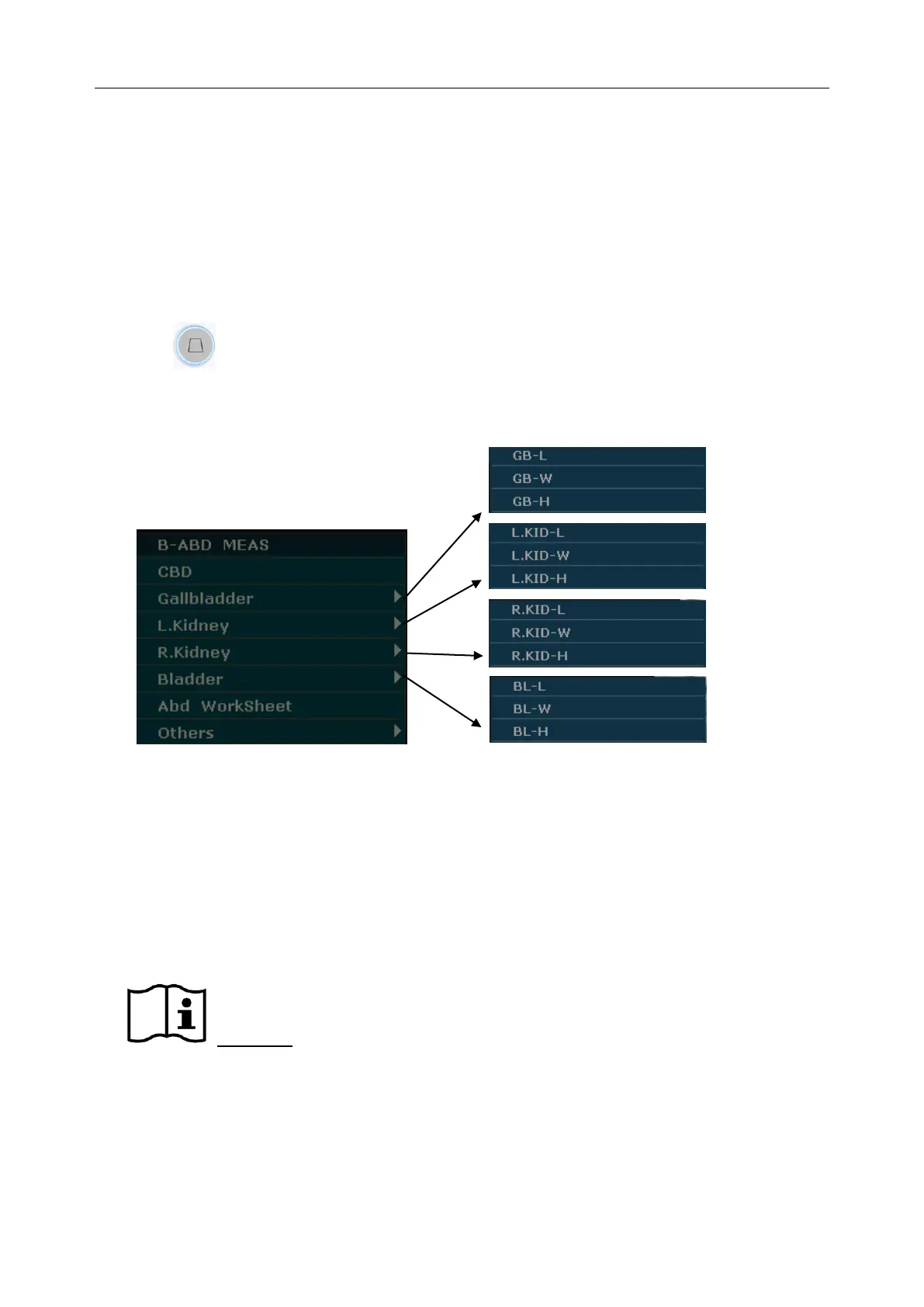
3. Press Measure to activate the application measurement function. The measurement menu is
displayed.
Figure 7-1 Abdominal Measurement and Calculation Menu
Items of Measurement and Calculation
CBD, Gallbladder, Left Kidney, Right Kidney, and Bladder.
7.1.1. CBD
1 In the abdominal measurement menu, roll the trackball to highlight CBD, and then press Set.
2 Measure CBD by the method of distance measurement.
Reference Section 6.6.1 Generic Measurement in B mode
3 After the measurement, the result of CBD will be displayed in the measurement result
window.



 To Next Page